DIY Filming: Creating Pro Video with Tools You Already Own | Learn with Vimeo (Skillshare)

Offered by Skillshare,
DIY Filming: Creating Pro Video with Tools You Already Own | Learn with Vimeo (Skillshare)

It's never been easier to create pro-looking video. Join Vimeo's Mark Cersosimo to learn a straightforward, artistic approach to making a 60-second video for promotion or content marketing, using just your iPhone and a few everyday tools. This one-hour class is broken into 10 bite-sized videos that are approachable and fun to watch.

The focus is helping you create a video that you can use for promotion, branding, and telling a story. It can be the story of you, your job, or even your company.
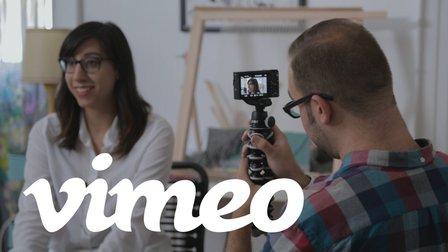
Mark brings the lessons to life by filming and editing the story of an artistic friend — and along the way shares both a step-by-step process and insightful DIY tricks you can use to create your own beautiful, polished video.
This class is ideal for:

  • artists who want to promote their work
  • job seekers eager to bring their experience to life
  • small business owners looking to tell their company story

In today's world of content marketing, video is the essential medium to master. With this class, you'll see that all you need is a smartphone and a few simple tricks to set you and your work apart!
Film the 60-second story of you
Your assignment is to create a 60-second video resume promoting you and your work.
It's never been easier to create a pro-looking video that brings your talents, experience, and pitch to life. All you need is a smartphone and a few simple hacks to set you and your work apart.
To get started, watch the video lessons, review the 3 simple stages below, then dive in! The whole process should take just a few hours, and you'll end up with a final, polished video resume that can live everywhere you live online — social, sites, and more.
What You'll Need
Camera — (ex: smartphone, DSLR, or point-and-shoot)
DIY Microphone — (ex: smartphone, USB mic, basic lavalier mic)
Basic video editing software — (ex: Adobe Premiere, iMovie, Final Cut)
Natural light source
Step 1: PLANNING

  • Identify the goal of your video
  • Know your elevator pitch
  • Conceptualize your video with a storyboard or shotlist

Step 2: FILMING

  • Have a 10-minute expanded elevator pitch conversation with your subject
  • Vary up your shot selection with wides and close ups
  • Capture each shot 3 times

Step 3: EDITING

  • Take out all footage you know you won't use
  • Select which shot of the same subject works best
  • Incorporate 2 different camera angles for each segment
Go to Class
MOOC List is learner-supported. When you buy through links on our site, we may earn an affiliate commission.

Related Courses

Copyright for Multimedia (Coursera) Coursera
Duke University,Emory University,University of North Carolina

Copyright for Multimedia (Coursera)

Copyright questions about different formats (data, images, music and video) can be especially difficult. Sometimes the law specifically distinguishes between these different formats, and in most cases there are media-specific considerations that impact a copyright analysis. In this course we will look at four different media, paying special attention to the unique issues for each one and the kinds of information that is important when making copyright decisions for each type of material.

Aug 17th 2026
4 Weeks
Content Marketing: Create a One-Minute Video (Skillshare) Skillshare
Skillshare

Content Marketing: Create a One-Minute Video (Skillshare)

Join Animoto for a 30-minute class on creating a short, effective marketing video that shows off you and your brand. Perfect for independent artists and creative businesses alike, you'll learn how to stylize, shoot, edit, and share a strong marketing video to increase your presence online. This class walks through capturing video with an iPhone as well as a DSLR, technical aspects of working with your camera, how to look for lighting, and capturing the perfect shot.

Self Paced
Self-Paced
Premiere Pro CC Basics In 40 Mins: Free For Beginners Crash Course (Skillshare) Skillshare
Skillshare

Premiere Pro CC Basics In 40 Mins: Free For Beginners Crash Course (Skillshare)

Welcome to Premiere Pro CC Basics In 40 Mins: For Beginners Crash Course! In this crash course, I will walk you through how to: Open Premiere Pro and create a new project; Move the panel windows to create a custom layout; Import footage and music; Create a sequence for video editing; Perform basic editing functions such as trim, cut, time stretch, and move clips; Separate audio from footage; Understand the timeline layers; Pick selects and assemble a rough cut; Time your edit to music; Perform basic zoom in and position animations; Create titles; Color correct footage; Apply the crop effect; Export to a final video.

Self Paced
Self-Paced
Adobe Premiere Pro: How to Save Time Editing and Edit More Efficiently in Premiere Pro (Skillshare) Skillshare
Skillshare

Adobe Premiere Pro: How to Save Time Editing and Edit More Efficiently in Premiere Pro (Skillshare)

In this class Alli Saunders will teach you how to edit faster in Adobe Premiere Pro. Alli Saunders has been a professional video editor for 5 years and owns a video production company in Toronto, Canada that specializes in commercial and web videos. She edits most of her video projects in Premiere Pro and over the years has come up with several ways to make her editing workflow more efficient and much faster.

Self Paced
Self-Paced
How to shoot film WITHOUT shooting on Film (Getting the Film look) (Skillshare) Skillshare
Skillshare

How to shoot film WITHOUT shooting on Film (Getting the Film look) (Skillshare)

Creating beautiful narratives through film emulation. Shooting on film is very aesthetically pleasing but not many of us have the luxury of being able to shoot on a film camera. This class teaches you how to shoot something that looks "film" without having to be on film. I show the behind the scenes process of how I plan my shoot, what equipment I use, and what to look for when I go on my shoots.

Self Paced
Self-Paced
How to Edit Video & Photo Montages (Skillshare) Skillshare
Skillshare

How to Edit Video & Photo Montages (Skillshare)

This Course goes through the basics of compiling a video editing montage. Whether you want to create YouTube videos to educate or you want to create promotional videos for your company, this Course will walk you through just how to achieve it. You can tell much more in a 5-10 minute video than you ever could with thousands of pictures. Why not learn to leverage that?

Self Paced
Self-Paced
Essential Filmmaking Tool: Apps for Pre-production and Production (Skillshare) Skillshare
Skillshare

Essential Filmmaking Tool: Apps for Pre-production and Production (Skillshare)

Pre-production is often overlooked by beginners yet it's really the most vital stage of film production. In this class, Sean Tracy will walk you through a handful of essential tools that can aid both your pre-production and production process on your next narrative, documentary, music video, or corporate shoot. Whether you are a one man band, part of a team, or a freelance director or cinematographer, you'll find an essential tool for you in this class.

self Paced
Self-Paced
9 PREMIERE PRO HACKS With Adobe Premiere Pro (Skillshare) Skillshare
Skillshare

9 PREMIERE PRO HACKS With Adobe Premiere Pro (Skillshare)

In this class Alli Saunders will teach you 9 Premiere Pro Hacks that will make editing way more efficient and fun. Alli Saunders has been a professional video editor for over 5 years and owns a video production company in Toronto, Canada that specializes in commercial and web videos. She edits most of her video projects in Premiere Pro and over the years has come up with several ways to make her editing workflow more efficient and much faster.

Self Paced
Self-Paced