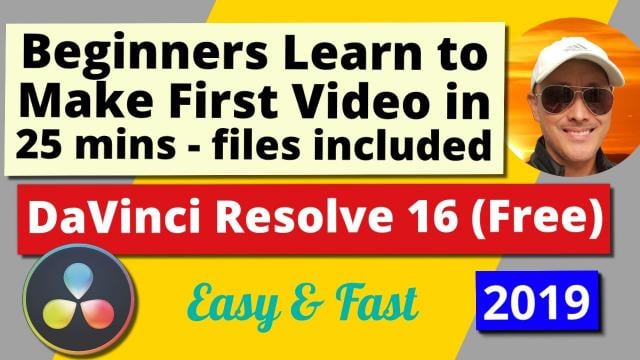
Beginners Learn Fast & Easy by Doing | DaVinci Resolve 16 (Free) | Create 1st Video in 25 Mins (Skillshare)

Offered by Skillshare,
Beginners Learn Fast & Easy by Doing | DaVinci Resolve 16 (Free) | Create 1st Video in 25 Mins (Skillshare)

Learn the Easiest and Fastest way to create your first video with the World's best, free, intuitive, yet advanced Video Editor - DaVinci Resolve 16. Why spend hundreds of dollars a year to do Beginner to Professional Video Editing, when you can do it for free with DaVinci Resolve. For those who are interested in DaVinci Resolve and haven't created their first video yet, I suggest you just GO AND DO IT! So you have your first experience doing actual creation. That to me is the best way to learn.

I designed this tutorial to make it as straightforward and simple for those with no experience, to confidently take their first steps into the exciting world of Film & Video Production.
All you have to do is download the program, my files I used to create the sample video, and follow this 25 minute step-by-step tutorial, and Viola! You will have created your first video and hopefully there will be no stopping you from making valuable, interesting, fabulous videos in the near future.
Be a Creator! Start Creating, It's Fun and Rewarding!
This course will cover all the elements you need to create your first video, including:

  • Adjust audio volume
  • Multiple video Audio Tracks
  • Adjust photo duration for the slideshow effect
  • Adding video and audio tracks, working with multiple tracks
  • Mute audio tracks
  • Scroll on mouse to navigate tracks
  • Fade in and fade out for both video and audio clips
  • Use curves to smoothen fade in and fade out
  • Add title text, change font, add stroke for more visible text
  • Add video transitions - Cross Dissolve
  • Edit with blade, split clip
  • Deliver, render, produce video
  • Format mp4 not quicktime
  • Add to render queue, start render

Course Goals:

  • You will not be intimidated by advanced video editors like DaVinci Resolve 16, in fact you will quickly learn to love what it can do for you.
  • In less than the time to watch a movie, you will have created your own mini movie.
  • You will learn the basics of video editing in DaVinci Resolve's Edit timeline page.
  • You will learn how to combine multiple video files, photos, audio files into one edited video file.
  • You will learn how to use transitions to smoothly go from one scene to another.
  • You will learn how to add titles and text to videos.
  • You will learn how to export your video to the proper format.
  • You will be able to unleash your Creative Passions and produce your own unique videos.
  • Go forth and set the world on fire with your ideas!

Create an identical video with the 7 files I used to create the sample video.
Download the course project files here (see Resources column on right).
Extra Class Project:
Create your own video with your own video, audio, photo files and share it with us. So we can give you feedback.
Go to Class
MOOC List is learner-supported. When you buy through links on our site, we may earn an affiliate commission.

Related Courses

Green Screen or Chroma Key Effect for Beginners | DaVinci Resolve 16 (Skillshare) Skillshare
Skillshare

Green Screen or Chroma Key Effect for Beginners | DaVinci Resolve 16 (Skillshare)

Learn how to create your first video with the Green Screen Effect also known as Chroma Key Effect with the World's best, free, intuitive, yet advanced Video Editor - DaVinci Resolve 16. Why spend hundreds of dollars a year to do Beginner to Professional Video Editing, when you can do it for free with DaVinci Resolve. For those who are interested in DaVinci Resolve and haven't created their first video yet, I suggest you just GO AND DO IT! So you have your first experience doing actual creation. That to me is the best way to learn.

Self Paced
Self-Paced
Final Cut Pro X Master Course (Skillshare) Skillshare
Skillshare

Final Cut Pro X Master Course (Skillshare)

Final Cut Pro X Course starts from the beginning and assumes no prior knowledge of Final Cut Pro or any other Mac-based video editing. Our tutorial walks you through the complete post production workflow, from initial media import to final output and everything in between. Previous experience with other editing software is not required. Your are guided through each step of the process.

Self Paced
Self-Paced
9 PREMIERE PRO HACKS With Adobe Premiere Pro (Skillshare) Skillshare
Skillshare

9 PREMIERE PRO HACKS With Adobe Premiere Pro (Skillshare)

In this class Alli Saunders will teach you 9 Premiere Pro Hacks that will make editing way more efficient and fun. Alli Saunders has been a professional video editor for over 5 years and owns a video production company in Toronto, Canada that specializes in commercial and web videos. She edits most of her video projects in Premiere Pro and over the years has come up with several ways to make her editing workflow more efficient and much faster.

Self Paced
Self-Paced
Video editing with Movavi for Beginners (Skillshare) Skillshare
Skillshare

Video editing with Movavi for Beginners (Skillshare)

This is my first Movavi editing class. I've started my first Youtube channel a year ago and faced with a number of diffuculties on film editing. I decided to share my own experience in basic and advanced video editing at Skillshare. Then I'm preparing the class on how to create your own video effects even if you don't have any experience in the film editing.

Self Paced
Self-Paced
Animating Illustrations: Fundamentals of After Effects (Skillshare) Skillshare
Skillshare

Animating Illustrations: Fundamentals of After Effects (Skillshare)

Ever just want to jump right into After Effects but feel it's way too complicated? This is the perfect time for you to start! You'll be learning how to bring an illustration to life using this fabulously creative program. Firstly, we'll take a quick tour around After Effects so you can get to know the interface and from there we'll import and convert an Adobe Illustrator file for use in After Effects and then use it to do some very simple animation so you can get used to keyframing and the timeline.

Self Paced
Self-Paced
Boost Your Brand with Video: Create a One Minute Promo Video Using Your Phone (Skillshare) Skillshare
Skillshare

Boost Your Brand with Video: Create a One Minute Promo Video Using Your Phone (Skillshare)

In this class you will learn how to create your first promotional video from start to finish. You don't need any fancy equipment to create your first promo video, all you need is your phone and a few accessories. In this class I am going to show how to create a promo video from start to finish. We will start with the script, then break down all the accessories you will be using. Next you will learn how to film yourself and get any additional shots need.

Self Paced
Self-Paced
Internet Giants: The Law and Economics of Media Platforms (Coursera) Coursera
University of Chicago

Internet Giants: The Law and Economics of Media Platforms (Coursera)

Law

This seven-week course will explore the relationship between law and technology with a strong focus on the law of the United States with some comparisons to laws around the world, especially in Europe. Tech progress is an important source of economic growth and raises broader questions about the human condition, including how culture evolves and who controls that evolution. Technology also matters in countless other ways as it often establishes the framework in which governments interact with their citizens, both in allowing speech and blocking it and in establishing exactly what the boundaries are between private life and the government. And technology itself is powerfully shaped by the laws that apply in areas as diverse as copyright, antitrust, patents, privacy, speech law and the regulation of networks.

Aug 3rd 2026
5-12 Weeks
After Effects 2019 Basic CLASS 1: Introduction (Skillshare) Skillshare
Skillshare

After Effects 2019 Basic CLASS 1: Introduction (Skillshare)

Adobe After Effects is a digital visual effects, motion graphics, and compositing application developed by Adobe Systems and used in the post-production process of film making and television production. Among other things, After Effects can be used for keying, tracking, compositing, and animation. It also functions as a very basic non-linear editor, audio editor, and media transcoder.

Self Paced
Self-Paced