Your first Arduino project: Design and Build a Colorful Musical Toy. (Skillshare)

Offered by Skillshare,
Your first Arduino project: Design and Build a Colorful Musical Toy. (Skillshare)

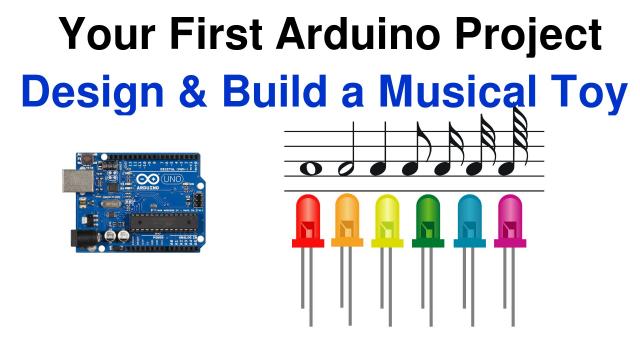
Arduino’s are a family of inexpensive single-board computers that allow you to create just about anything you can dream of with minimal technical skills. This class will teach you to build your first Arduino project, a fun device that plays a tune and flashes colored LED lights. You can design it to play your national anthem while flashing your country's colors or get creative and make a unique tribute to your favorite sports team!

Don't worry if you've never worked with electronics or programed before, it's not a prerequisite. Just come prepared to learn something new and have some fun!
Design a unique musical toy with your country's (or teams) anthem and colors.
You will be building a unique electronic toy that flashes LEDs while playing the tune of your choice. As you create your project you learn about the Arduino, Electronics and even a little bit about music.
You can create your toy on a temporary breadboard or assemble it permanently as your own unique creation. I can't wait to see what you come up with!
To build this project you’ll need to gather together the following items:

  • An Arduino, Genuino or Arduino clone board. I use an Arduino Uno clone in the lessons, this is the most popular Arduino board and is available for less than 20 dollars. You can use it later for other projects.
  • A computer with a spare USB port. This a desktop or notebook and it can be Windows, Mac or Linux. You’ll use it to program your Arduino board.
  • A USB type A to B cable. This Is the type of USB cable you use with a printer. Your Arduino board may have come with one.
  • (3) Colored LED lights. Pick the colors to match your country's flag or your sports team's logo. LED’s come in all shapes and sizes, I recommend the 3mm or 5mm ones which are dirt cheap and commonly available.
  • (3) 330 ohm ¼ watt resistors. Actually any value from 150 to 470 ohms will be fine.
  • (1) 10K (10,000 ohm) ¼ watt resistor. Actually any value from 5.6K to 22K will be fine.
  • A pushbutton switch. This is also called an “SPST momentary contact” switch.
  • A piezo element or tiny speaker rated at 6 volts.
  • A solderless breadboard. This is a plastic board used for prototyping electronic circuits. It should be available from the same place you bought your Arduino and the other electronic components.
  • Hookup wire for the breadboard. This may have come with your breadboard, otherwise you can use standard 22 or 24 gauge solid insulated wire.

Optionally you’ll need a few things to exercise your creativity and make your project permanent:

  • A box or enclosure for your device. Use something you have around the house or explore your Dollar Store for a small plastic box.
  • A small “perfboard”, this is a circuit board with holes surrounded by copper pads. It’s optional, but it will make it easier to permanently wire your circuit.
  • Solder and a soldering iron.
  • A 9 volt battery and a battery clip with a 2.1 mm power connector OR a small USB power supply.
  • Your Imagination!

You don't really need any tools, although a small pair of needle-nose pliers would be handy.

Go to Class
MOOC List is learner-supported. When you buy through links on our site, we may earn an affiliate commission.

Related Courses

User Experience & Interaction Design for AR/VR/MR/XR (Coursera) Coursera
University of Michigan

User Experience & Interaction Design for AR/VR/MR/XR (Coursera)

This second course in the XR for Everybody specialization looks at how to design new user experiences for XR technologies. The course provides learners with a design thinking mindset and equips them with a fundamental toolbox for creating XR applications using rapid prototyping. It starts with a broad overview of the complete XR design process, discussing different paths to becoming an XR creator, what is generally involved in making XR experiences, and how to best get started.

Jun 8th 2026
4 Weeks
Mobile App Prototyping: Designing Custom Interactions  (Skillshare) Skillshare
Skillshare

Mobile App Prototyping: Designing Custom Interactions (Skillshare)

Have a great idea for an app and unsure where to start? Join Product Designer Noah Levin for an informative 50-minute class on how to use mobile app prototyping to communicate your ideas and execute your vision. In this class you'll learn the basics of using mobile app prototyping to pioneer new patterns, make unique designs, and find unexpected solutions.

Self Paced
Self-Paced
Interfacing with the Arduino (Coursera) Coursera
University of California, Irvine

Interfacing with the Arduino (Coursera)

Arduino senses the environment by receiving inputs from add-on devices such as sensors, and can control the world around it by adjusting lights, motors, and other actuators. In this class you will learn how and when to use the different types of sensors and how to connect them to the Arduino. Since the external world uses continuous or analog signals and the hardware is digital you will learn how these signals are converted back-and-forth and how this must be considered as you program your device. You'll also learn about the use of Arduino-specific shields and the shields software libraries to interface with the real world.

Jun 8th 2026
4 Weeks
The Arduino Platform and C Programming (Coursera) Coursera
University of California, Irvine

The Arduino Platform and C Programming (Coursera)

The Arduino is an open-source computer hardware/software platform for building digital devices and interactive objects that can sense and control the physical world around them. In this class you will learn how the Arduino platform works in terms of the physical board and libraries and the IDE (integrated development environment). You will also learn about shields, which are smaller boards that plug into the main Arduino board to perform other functions such as sensing light, heat, GPS tracking, or providing a user interface display. The course will also cover programming the Arduino using C code and accessing the pins on the board via the software to control external devices.

Jun 8th 2026
4 Weeks
Know Your Audience - Bring Your Personas to Life! (Skillshare) Skillshare
Skillshare

Know Your Audience - Bring Your Personas to Life! (Skillshare)

User Personas - high-level descriptions of your target audience's needs and challenges - are becoming mainstays for software product teams. But like many other requirements documentation, they can often feel flat, overly generic, and nearly useless once development has actually begun. In becoming “just another form to fill out,” your User Personas have lost connection with their original purpose: to help product teams build connection and empathy with your primary customer base, and in doing so provide the grounding basis for fast and deliberate decision making.

Self Paced
Self-Paced
Using Rapid Prototyping in the Engineering Design Process (Coursera) Coursera
Arizona State University

Using Rapid Prototyping in the Engineering Design Process (Coursera)

Hello, everyone! Welcome to this course on Using Rapid Prototyping in the Engineering Design Process. This is part of the Rapid Prototyping and Tooling specialization. In this course, I’ll cover the engineering design process and how it can be used to solve open-ended problems. I’ll discuss the different stages of prototyping and why it is advantageous to produce prototypes rapidly. I’ll then discuss engineering drawings and how to communicate information about 3-dimensional objects on 2-dimensional mediums such as paper or a computer screen.

Jun 8th 2026
4 Weeks
3D Printing: Solving Problems Through Product Design  (Skillshare) Skillshare
Skillshare

3D Printing: Solving Problems Through Product Design (Skillshare)

Invent your very own product! Join Lauren Slowik (Design Evangelist, Shapeways) to create a 3D printed object that solves a problem in your morning routine. She takes you through the steps of identifying an everyday problem, sketching a solution, making a simple 3D digital rendering, and printing your final product. Lauren shares how she iterates and evolves her plans to get the design just right — all so you can do it, too.

Self Paced
Self-Paced
How to Animate a Sketch UI using Principle (Skillshare) Skillshare
Skillshare

How to Animate a Sketch UI using Principle (Skillshare)

This class will show you how to add motion to a User Interface that has been designed in Sketch using Prototype. It’s perfect for any designer who creates their UI using Sketch and wants to add motion and interaction to their designs. No prior experience of Principle is required to take the class as I’ll explain how to use it. The only thing you need to do before you take this is to download the Principle app on your machine.

Self Paced
Self-Paced
Talking to Strangers: An Introduction to User Interviews (Skillshare) Skillshare
Skillshare

Talking to Strangers: An Introduction to User Interviews (Skillshare)

Design is nothing without the user, and the best way to find out what the user wants is to talk to them face-to-face. In this class, we will cover everything you need to get started with conducting user interviews to collect valuable qualitative data that will help you humanize your designs. You’ll learn how to write a script...and how/when to veer off the script. You’ll learn how to listen to the user’s stories, and how to respond on the fly to a constantly adapting conversation.

Self Paced
Self-Paced
Making a Paper Prototype for a Mobile App (Skillshare) Skillshare
Skillshare

Making a Paper Prototype for a Mobile App (Skillshare)

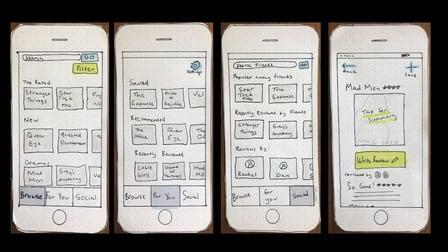
In this class you will learn how to make a paper prototype of a mobile app for early stage usability testing. Testing paper prototypes can save time in the design process by catching problems early on, before recreating the design digitally in an application like Sketch or Figma. We’ll go over: Why paper prototypes are useful; When you might make one, and what you should know beforehand; How to make a paper prototype step by step (This is the class project).

Self Paced
Self-Paced