How to Make a VR YouTube Video (Skillshare)

Offered by Skillshare,
How to Make a VR YouTube Video (Skillshare)

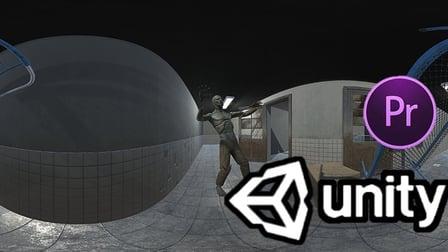
Hey, I run a VR YouTube Channel with consistent high views and engagement and I am going to show you how you can make your very own VR content. This is a beginners course, but the results will be outstanding. We’ll be using Unity and Adobe Premiere. In this class, you will learn the basics of Unity 3D, which you can also use for video game development.

No coding knowledge required. I will also teach you how to use Premiere Pro to edit VR videos. By the end of this class, you’ll be set to start your own YouTube VR Channel.

Lessons Include:

  • Creating VR Content with Free Assets from Unity
  • Getting started with Unity 3D, which you can use to make video games or YouTube videos alike
  • Editing VR Videos in Premiere Pro
  • Animating in Unity
  • Lighting in Unity

Whether you are into computer programming or into creating media, this class will suit your needs. Take a plunge into the world of immersive filmmaking.
Create your own VR Experience, ready to be uploaded to YouTube.
By the end of the class, you are going to be creating an 8K Resolution VR experience ready to play in YouTube. You will be using the Unity 3D software to create the VR experience. Afterwards, you are going to use Premiere Pro for the final video ready for uploading in 8K.
The greatest thing about Unity is that it has thousands of free 3D models for you to use in your VR Experience. Whether you want to make a horror or an outer space experience, the sky is literally the limit.
You don’t need any coding experience. I have provided the script necessary to get high quality VR videos out of Unity. Once you have a concept for an immersive experience you want to create, check out the tutorials to get you started on the technical skills needed.
Your final project will be an 8K Video which you will upload to YouTube.
I am excited to see your projects.

Go to Class
MOOC List is learner-supported. When you buy through links on our site, we may earn an affiliate commission.

Related Courses

Beginners Learn Fast & Easy by Doing | DaVinci Resolve 16 (Free) | Create 1st Video in 25 Mins (Skillshare) Skillshare
Skillshare

Beginners Learn Fast & Easy by Doing | DaVinci Resolve 16 (Free) | Create 1st Video in 25 Mins (Skillshare)

Learn the Easiest and Fastest way to create your first video with the World's best, free, intuitive, yet advanced Video Editor - DaVinci Resolve 16. Why spend hundreds of dollars a year to do Beginner to Professional Video Editing, when you can do it for free with DaVinci Resolve. For those who are interested in DaVinci Resolve and haven't created their first video yet, I suggest you just GO AND DO IT! So you have your first experience doing actual creation. That to me is the best way to learn.

Self Paced
Self-Paced
Intro to Film & Video - Exposing your Images (Skillshare) Skillshare
Skillshare

Intro to Film & Video - Exposing your Images (Skillshare)

In this class you will learn the basics of exposing video. It's very similar to photography in many ways, but there is a clear separation between shooting film or video and shooting photography.You'll follow along with Tyler Donley as you learn how to take any camera on the market and how to use the basic functions of your camera to control the exposure and color of your images.

Self Paced
Self-Paced
Learn How To Make Games: Videogame Development in Unity (Skillshare) Skillshare
Skillshare

Learn How To Make Games: Videogame Development in Unity (Skillshare)

Learn How to Make Videogames with the Unity Game Engine. If you've ever wondered how videogames are made and if you want to learn how to do so, this course is for you! I have spent more than two years learning about Unity both by working on little projects and by enrolling myself in pure self-learning. I'll teach you all of the fundamentals about Unity and a lot of mental processes to follow when you want to develop your own game, no matter the software you are using.

Self Paced
Self-Paced
How to create Amazing 3D Hair & Fur in Maya (Skillshare) Skillshare
Skillshare

How to create Amazing 3D Hair & Fur in Maya (Skillshare)

Creating stylised and believable hair in 3D has been traditionally technically and artistically challenging. However since Maya 2018 there is a more artist friendly set of tools to make hair. The XGen Interactive Grooming Tools, make creating and styling hair really simple by using a series of interactive grooming tools that you can use in the Maya viewport.

Self Paced
Self-Paced
Green Screen or Chroma Key Effect for Beginners | DaVinci Resolve 16 (Skillshare) Skillshare
Skillshare

Green Screen or Chroma Key Effect for Beginners | DaVinci Resolve 16 (Skillshare)

Learn how to create your first video with the Green Screen Effect also known as Chroma Key Effect with the World's best, free, intuitive, yet advanced Video Editor - DaVinci Resolve 16. Why spend hundreds of dollars a year to do Beginner to Professional Video Editing, when you can do it for free with DaVinci Resolve. For those who are interested in DaVinci Resolve and haven't created their first video yet, I suggest you just GO AND DO IT! So you have your first experience doing actual creation. That to me is the best way to learn.

Self Paced
Self-Paced
Adobe Premiere Pro: How to Save Time Editing and Edit More Efficiently in Premiere Pro (Skillshare) Skillshare
Skillshare

Adobe Premiere Pro: How to Save Time Editing and Edit More Efficiently in Premiere Pro (Skillshare)

In this class Alli Saunders will teach you how to edit faster in Adobe Premiere Pro. Alli Saunders has been a professional video editor for 5 years and owns a video production company in Toronto, Canada that specializes in commercial and web videos. She edits most of her video projects in Premiere Pro and over the years has come up with several ways to make her editing workflow more efficient and much faster.

Self Paced
Self-Paced
Make BAD FOOTAGE Look GREAT with These 7 Editing Fixes in PREMIERE PRO: MAKE VIDEOS BETTER (Skillshare) Skillshare
Skillshare

Make BAD FOOTAGE Look GREAT with These 7 Editing Fixes in PREMIERE PRO: MAKE VIDEOS BETTER (Skillshare)

Hi everyone and welcome to this class on How to Fix Filming Mistakes that New Filmmakers Make in Premiere Pro! Watch, pause and review each lesson as needed and be sure to download the clips provided in order to follow along. If you don't have Premiere Pro, download the free trial to follow along. Have fun!

Self Paced
Self-Paced
Final Cut Pro X Master Course (Skillshare) Skillshare
Skillshare

Final Cut Pro X Master Course (Skillshare)

Final Cut Pro X Course starts from the beginning and assumes no prior knowledge of Final Cut Pro or any other Mac-based video editing. Our tutorial walks you through the complete post production workflow, from initial media import to final output and everything in between. Previous experience with other editing software is not required. Your are guided through each step of the process.

Self Paced
Self-Paced
Materials Deep Dive with Blender (Skillshare) Skillshare
Skillshare

Materials Deep Dive with Blender (Skillshare)

Have you ever wondered how to make your models look more realistic? The key is usually that the model looks unrealistically perfect. Real-life things have wear and tear on them. That's where this class comes in. You're going to take a deep dive into learning how to use procedurally generated materials for rust and wear. By Procedurally, we mean that it's all created within blender without using externally taken photographs.

Self Paced
Self-Paced
DIY Filming: Creating Pro Video with Tools You Already Own | Learn with Vimeo (Skillshare) Skillshare
Skillshare

DIY Filming: Creating Pro Video with Tools You Already Own | Learn with Vimeo (Skillshare)

It's never been easier to create pro-looking video. Join Vimeo's Mark Cersosimo to learn a straightforward, artistic approach to making a 60-second video for promotion or content marketing, using just your iPhone and a few everyday tools. This one-hour class is broken into 10 bite-sized videos that are approachable and fun to watch.

Self Paced
Self-Paced