Green Screen or Chroma Key Effect for Beginners | DaVinci Resolve 16 (Skillshare)

Offered by Skillshare,
Green Screen or Chroma Key Effect for Beginners | DaVinci Resolve 16 (Skillshare)

Learn how to create your first video with the Green Screen Effect also known as Chroma Key Effect with the World's best, free, intuitive, yet advanced Video Editor - DaVinci Resolve 16. Why spend hundreds of dollars a year to do Beginner to Professional Video Editing, when you can do it for free with DaVinci Resolve. For those who are interested in DaVinci Resolve and haven't created their first video yet, I suggest you just GO AND DO IT! So you have your first experience doing actual creation. That to me is the best way to learn.

I designed this tutorial to make it as straightforward and simple as possible for those with no experience.
All you have to do is download the program, my files I used to create the sample video, and follow this 12 minute step-by-step tutorial, and Viola! You will have created your first video with green screen effect and hopefully there will be no stopping you from making valuable, interesting, fabulous videos in the near future.
Be a Creator! Start Creating, It's Fun and Rewarding!

This course will cover all the elements you need to create the green screen effect, including:
Add Alpha Output
Qualifier
Selection Range
Picker
Hue, Saturation, Luminance
Zoom and Position
Window

Course Goals:
You will not be intimidated by advanced video editors like DaVinci Resolve 16, in fact you will quickly learn to love what it can do for you.
You will learn the basics of video editing and creating a green screen effect
You will be able to unleash your Creative Passions and produce your own unique videos.
Go forth and set the world on fire with your ideas!
Go to Class
MOOC List is learner-supported. When you buy through links on our site, we may earn an affiliate commission.

Related Courses

Copyright for Multimedia (Coursera) Coursera
Duke University,Emory University,University of North Carolina

Copyright for Multimedia (Coursera)

Copyright questions about different formats (data, images, music and video) can be especially difficult. Sometimes the law specifically distinguishes between these different formats, and in most cases there are media-specific considerations that impact a copyright analysis. In this course we will look at four different media, paying special attention to the unique issues for each one and the kinds of information that is important when making copyright decisions for each type of material.

Aug 17th 2026
4 Weeks
How to Create Video for Online Courses (Coursera) Coursera
University of Edinburgh

How to Create Video for Online Courses (Coursera)

Increasingly, as education pivots online, educators are looking to filmmaking as a way of creating new and exciting content. On this two-week course from the University of Edinburgh, you’ll learn how to turn your mobile phone into a full-featured video production suite to create effective and engaging online course videos and media. Develop the skills to script, storyboard, and film your videos.

Aug 16th 2026
2 Weeks
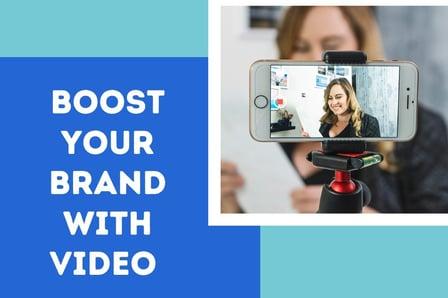
Boost Your Brand with Video: Create a One Minute Promo Video Using Your Phone (Skillshare) Skillshare
Skillshare

Boost Your Brand with Video: Create a One Minute Promo Video Using Your Phone (Skillshare)

In this class you will learn how to create your first promotional video from start to finish. You don't need any fancy equipment to create your first promo video, all you need is your phone and a few accessories. In this class I am going to show how to create a promo video from start to finish. We will start with the script, then break down all the accessories you will be using. Next you will learn how to film yourself and get any additional shots need.

Self Paced
Self-Paced
After Effects 2019 Basic CLASS 1: Introduction (Skillshare) Skillshare
Skillshare

After Effects 2019 Basic CLASS 1: Introduction (Skillshare)

Adobe After Effects is a digital visual effects, motion graphics, and compositing application developed by Adobe Systems and used in the post-production process of film making and television production. Among other things, After Effects can be used for keying, tracking, compositing, and animation. It also functions as a very basic non-linear editor, audio editor, and media transcoder.

Self Paced
Self-Paced
How to Edit Video & Photo Montages (Skillshare) Skillshare
Skillshare

How to Edit Video & Photo Montages (Skillshare)

This Course goes through the basics of compiling a video editing montage. Whether you want to create YouTube videos to educate or you want to create promotional videos for your company, this Course will walk you through just how to achieve it. You can tell much more in a 5-10 minute video than you ever could with thousands of pictures. Why not learn to leverage that?

Self Paced
Self-Paced
Final Cut Pro X Master Course (Skillshare) Skillshare
Skillshare

Final Cut Pro X Master Course (Skillshare)

Final Cut Pro X Course starts from the beginning and assumes no prior knowledge of Final Cut Pro or any other Mac-based video editing. Our tutorial walks you through the complete post production workflow, from initial media import to final output and everything in between. Previous experience with other editing software is not required. Your are guided through each step of the process.

Self Paced
Self-Paced
Video editing with Movavi for Beginners (Skillshare) Skillshare
Skillshare

Video editing with Movavi for Beginners (Skillshare)

This is my first Movavi editing class. I've started my first Youtube channel a year ago and faced with a number of diffuculties on film editing. I decided to share my own experience in basic and advanced video editing at Skillshare. Then I'm preparing the class on how to create your own video effects even if you don't have any experience in the film editing.

Self Paced
Self-Paced
Advanced Aerial Videography: Storytelling with Subjects  (Skillshare) Skillshare
Skillshare

Advanced Aerial Videography: Storytelling with Subjects (Skillshare)

Learn advanced drone videography techniques to take your aerial footage to the next level. This 50-minute class — the second installment from Wild Rabbit Productions and DJI — covers how to create a narrative by planning and executing a film shoot with a moving subject. Looking to add a pro touch to your video projects? This class is for you.

Self Paced
Self-Paced