FUN

Réaliser des vidéos pro avec son smartphone (FUN)

Réaliser des vidéos pro avec son smartphone (FUN)

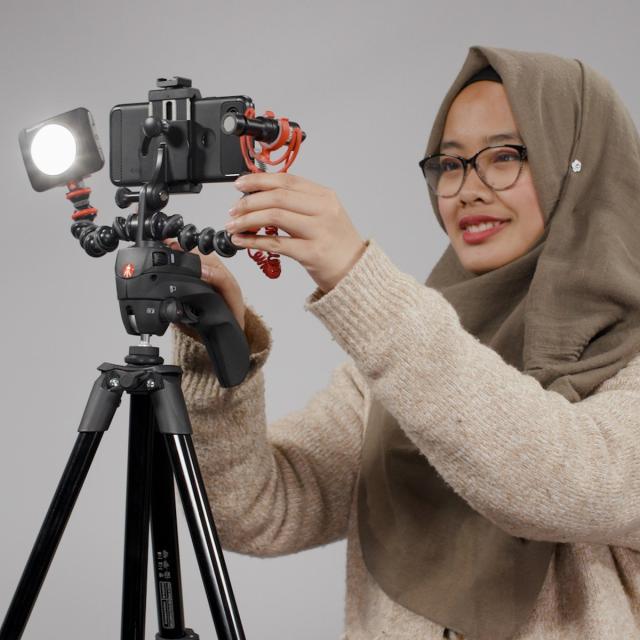
Ce MOOC propose aux apprenants de découvrir les règles de l’art du tournage et du montage, et de réaliser des vidéos courtes (de communication, d’instantané, de fiction, d’actualité, etc.).

Avec l’avènement des smartphones en 2007, nous disposons presque tous d’une véritable caméra haute-définition susceptible de partager quasi instantanément ses productions sur Internet. Moins sophistiqués que des caméras professionnelles, les smartphones permettent à tout un chacun de réaliser à peu près tous types de vidéos.
Au cours des cinq semaines du cours, vous allez successivement :

  • Acquérir les bases du cadrage, de la lumière et de la prise de son.
  • Apprendre à scénariser une histoire : découpage en plans.
  • Maîtriser votre smartphone et choisir les accessoires indispensables.
  • Monter rapidement vos images avec un outil en ligne.
  • Acquérir les bonnes pratiques et méthodes (boite à outils) grâce à des mises en situations diverses et ludiques.

PLAN DU COURS

Le MOOC est basé sur une pédagogie par projets. Il alterne parties théoriques et applications pratiques.

Calendrier et progression pédagogique :
Introduction : Découverte de l'environnement, de la progression pédagogique (4 et 5 novembre)
Premier temps : Les bases de la caméra, du tournage (du 6 au 19 novembre).
Second temps : L'interview, le son et la lumière (du 20 novembre au 26 novembre).
Troisième temps : Le mouvement et les accessoires (du 27 novembre au 3 décembre).
Réalisation du film final : du 4 au 10 décembre.
Conclusion, remise des prix : du 11 au 14 décembre.

Les projets :
La méthodologie repose sur la réalisation de trois projets en fin de chaque semaine :
Projet 1 : Réalisation d’un film muet sur un thème choisi
Projet 2 : Réalisation d’un micro portrait
Projet 3 : Réalisation d’une fausse pub
Chaque projet devra comprendre les phases suivantes :
Le pitch du film et le scénario
La préparation du story-board
Le tournage des plans
La mise en ligne des films
Go to Class
MOOC List is learner-supported. When you buy through links on our site, we may earn an affiliate commission.

Related Courses

Introduction To Video Editing With InVideo (Part 1) (Skillshare) Skillshare
Skillshare

Introduction To Video Editing With InVideo (Part 1) (Skillshare)

There has been a lot of questions surrounding video and whether it is still relevant in today's world. In this mini course I try to explain the importance of video as well as different types of video you can use. I also give an introduction to the InVideo platform, a video editor and video creation tool that should be in every content creator, marketer and small business owner's toolbox.

Self Paced
Self-Paced
How to Edit Video & Photo Montages (Skillshare) Skillshare
Skillshare

How to Edit Video & Photo Montages (Skillshare)

This Course goes through the basics of compiling a video editing montage. Whether you want to create YouTube videos to educate or you want to create promotional videos for your company, this Course will walk you through just how to achieve it. You can tell much more in a 5-10 minute video than you ever could with thousands of pictures. Why not learn to leverage that?

Self Paced
Self-Paced
How to Create Video for Online Courses (Coursera) Coursera
University of Edinburgh

How to Create Video for Online Courses (Coursera)

Increasingly, as education pivots online, educators are looking to filmmaking as a way of creating new and exciting content. On this two-week course from the University of Edinburgh, you’ll learn how to turn your mobile phone into a full-featured video production suite to create effective and engaging online course videos and media. Develop the skills to script, storyboard, and film your videos.

Nov 8th 2026
2 Weeks
Imprimer en 3D (FUN) FUN
Institut Mines-Telecom

Imprimer en 3D (FUN)

Ce MOOC est le troisième volet du parcours La Fabrication Numérique. Les imprimantes 3D révolutionnent la manière de produire des objets. Cette technologie est maintenant à la portée de tous dans les fablabs. Cette technologie est maintenant à la portée de tous dans les fablabs. Depuis quelques années, l’impression 3D est aussi utilisée dans les départements R&D des entreprises pour nourrir le processus d’innovation et cela modifie considérablement les manières de produire !

May 3rd 2022
4 Weeks
Ethics & STICs: scientific integrity, research ethics & information ethics for ICTs (FUN) FUN
Université Paris-Saclay

Ethics & STICs: scientific integrity, research ethics & information ethics for ICTs (FUN)

Training in scientific integrity, open science, research ethics and information ethics for doctoral students in information technologies. What does integrity in research mean and why is it important to follow an ethical conduct in your research work? Entering a PhD programme, you are moving from a student’s position, where your main responsibility was to acquire and demonstrate acquisition of knowledge, into a position of producing knowledge. This creates new relationships with coworkers and your hosting institutions, new expectations, and new responsibilities towards science and society in general.

Jun 1st 2022
4 Weeks
Programmation iOS (partie I) (edX) EdX
Université Pierre & Marie Curie - UPMC,Sorbonne University,UPMCx,SorbonneX

Programmation iOS (partie I) (edX)

Vous voulez apprendre à programmer sur un iPhone ou un iPad ? Ce MOOC est fait pour vous. Il vous donnera les bases de cette programmation et vous permettra de développer vos premières applications. Smartphones, tablettes, ces appareils ultra-portables sont désormais omniprésents dans notre vie quotidienne. Il y a des applications pour presque tout : retoucher ses photos, réserver une place de cinéma, réviser le code de la route, choisir une recette de cuisine, tourner et monter des clips vidéos, ou trouver les restaurants les plus proches.

No sessions available
5-12 Weeks
Premiere Pro CC Basics In 40 Mins: Free For Beginners Crash Course (Skillshare) Skillshare
Skillshare

Premiere Pro CC Basics In 40 Mins: Free For Beginners Crash Course (Skillshare)

Welcome to Premiere Pro CC Basics In 40 Mins: For Beginners Crash Course! In this crash course, I will walk you through how to: Open Premiere Pro and create a new project; Move the panel windows to create a custom layout; Import footage and music; Create a sequence for video editing; Perform basic editing functions such as trim, cut, time stretch, and move clips; Separate audio from footage; Understand the timeline layers; Pick selects and assemble a rough cut; Time your edit to music; Perform basic zoom in and position animations; Create titles; Color correct footage; Apply the crop effect; Export to a final video.

Self Paced
Self-Paced
Image and video processing: From Mars to Hollywood with a stop at the hospital (Coursera) Coursera
Duke University

Image and video processing: From Mars to Hollywood with a stop at the hospital (Coursera)

In this course, you will learn the science behind how digital images and video are made, altered, stored, and used. We will look at the vast world of digital imaging, from how computers and digital cameras form images to how digital special effects are used in Hollywood movies to how the Mars Rover was able to send photographs across millions of miles of space.

Nov 2nd 2026
5-12 Weeks