Adobe Premiere Pro: How to Save Time Editing and Edit More Efficiently in Premiere Pro (Skillshare)

Offered by Skillshare,
Adobe Premiere Pro: How to Save Time Editing and Edit More Efficiently in Premiere Pro (Skillshare)

In this class Alli Saunders will teach you how to edit faster in Adobe Premiere Pro. Alli Saunders has been a professional video editor for 5 years and owns a video production company in Toronto, Canada that specializes in commercial and web videos. She edits most of her video projects in Premiere Pro and over the years has come up with several ways to make her editing workflow more efficient and much faster.

In this quick course she will teach you her go to tips, tools and workflows that have saved her tons of time editing and will save you tons of time too!

  1. Watch each lesson and pause or playback the lesson as needed
  2. Follow along in Premiere Pro and set up your customized workplace and use the efficient folder structure and the other recommendations Alli teaches, for a more optimized workflow
  3. Follow along using your own footage or, you can go to videos.pexels.com to download free, royalty free footage
  4. Enjoy and happy learning!
Go to Class
MOOC List is learner-supported. When you buy through links on our site, we may earn an affiliate commission.
Related Courses

Make BAD FOOTAGE Look GREAT with These 7 Editing Fixes in PREMIERE PRO: MAKE VIDEOS BETTER (Skillshare) Skillshare
Skillshare

Make BAD FOOTAGE Look GREAT with These 7 Editing Fixes in PREMIERE PRO: MAKE VIDEOS BETTER (Skillshare)

Hi everyone and welcome to this class on How to Fix Filming Mistakes that New Filmmakers Make in Premiere Pro! Watch, pause and review each lesson as needed and be sure to download the clips provided in order to follow along. If you don't have Premiere Pro, download the free trial to follow along. Have fun!

Self Paced
Self-Paced
Bring Your Story to Life – Video Post-Production (Coursera) Coursera
University of Colorado Boulder

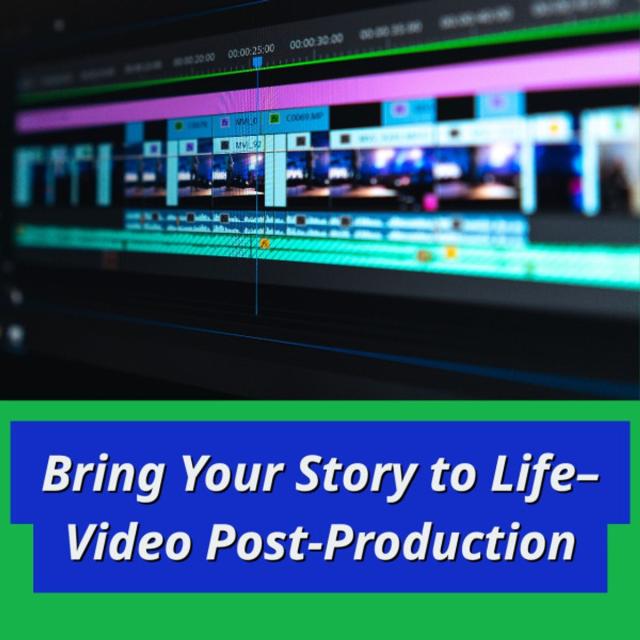
Bring Your Story to Life – Video Post-Production (Coursera)

In this course, we will explore the power and artistry of picture and sound editing. Although you’re welcome to use the editing software of your choice, we’ll be demonstrating non-linear editing using Adobe Premiere. We’ll share with you our editing workflow for completing a visual story, from scripting and writing conversationally to the visuals, to recording voice overs, to building the rough cut, and polishing with the final cut.

Jun 8th 2026
5-12 Weeks
Final Cut Pro X Master Course (Skillshare) Skillshare
Skillshare

Final Cut Pro X Master Course (Skillshare)

Final Cut Pro X Course starts from the beginning and assumes no prior knowledge of Final Cut Pro or any other Mac-based video editing. Our tutorial walks you through the complete post production workflow, from initial media import to final output and everything in between. Previous experience with other editing software is not required. Your are guided through each step of the process.

Self Paced
Self-Paced
The Business of Film (FutureLearn) FutureLearn
The Open University

The Business of Film (FutureLearn)

Explore the intriguing world of film production and find out about the complexities of development, distribution and finance. Find out how movies are funded, made and marketed. Making a film is a creative exploit, but just like any other business, the aim is also to make money. This online course will show you how. It has been created with Pinewood Studios – the leading provider of studio services to the global screen-based industries.

No sessions available
5-12 Weeks
How to Create Video for Online Courses (Coursera) Coursera
University of Edinburgh

How to Create Video for Online Courses (Coursera)

Increasingly, as education pivots online, educators are looking to filmmaking as a way of creating new and exciting content. On this two-week course from the University of Edinburgh, you’ll learn how to turn your mobile phone into a full-featured video production suite to create effective and engaging online course videos and media. Develop the skills to script, storyboard, and film your videos.

Jun 1st 2026
2 Weeks
How to Read a Film (FutureLearn) FutureLearn
Film Distributors' Association

How to Read a Film (FutureLearn)

Delve into the devices used to create meaning in film as you gain a deeper understanding of what we see on screen. Master film studies as you learn how films create meaning. When you watch a film there are many elements working together to produce what you see and hear. The different elements, known as devices, have been carefully constructed so that your attention is drawn to certain things at certain times, forming the way in which a film communicates its story. On this five-week course, you’ll unpack these elements to discover how they work, what they are called, and how they work together.

Apr 6th 2026
5-12 Weeks
Introduction To Video Editing With InVideo (Part 1) (Skillshare) Skillshare
Skillshare

Introduction To Video Editing With InVideo (Part 1) (Skillshare)

There has been a lot of questions surrounding video and whether it is still relevant in today's world. In this mini course I try to explain the importance of video as well as different types of video you can use. I also give an introduction to the InVideo platform, a video editor and video creation tool that should be in every content creator, marketer and small business owner's toolbox.

Self Paced
Self-Paced
Green Screen or Chroma Key Effect for Beginners | DaVinci Resolve 16 (Skillshare) Skillshare
Skillshare

Green Screen or Chroma Key Effect for Beginners | DaVinci Resolve 16 (Skillshare)

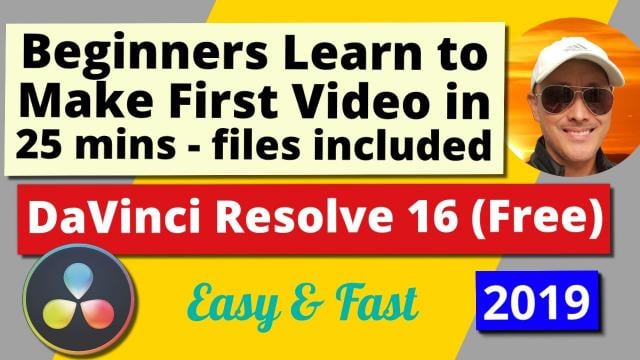
Learn how to create your first video with the Green Screen Effect also known as Chroma Key Effect with the World's best, free, intuitive, yet advanced Video Editor - DaVinci Resolve 16. Why spend hundreds of dollars a year to do Beginner to Professional Video Editing, when you can do it for free with DaVinci Resolve. For those who are interested in DaVinci Resolve and haven't created their first video yet, I suggest you just GO AND DO IT! So you have your first experience doing actual creation. That to me is the best way to learn.

Self Paced
Self-Paced
DIY Filming: Creating Pro Video with Tools You Already Own | Learn with Vimeo (Skillshare) Skillshare
Skillshare

DIY Filming: Creating Pro Video with Tools You Already Own | Learn with Vimeo (Skillshare)

It's never been easier to create pro-looking video. Join Vimeo's Mark Cersosimo to learn a straightforward, artistic approach to making a 60-second video for promotion or content marketing, using just your iPhone and a few everyday tools. This one-hour class is broken into 10 bite-sized videos that are approachable and fun to watch.

Self Paced
Self-Paced