Create Smooth Lip Syncs in After Effects (Skillshare)

Offered by Skillshare,
Create Smooth Lip Syncs in After Effects (Skillshare)

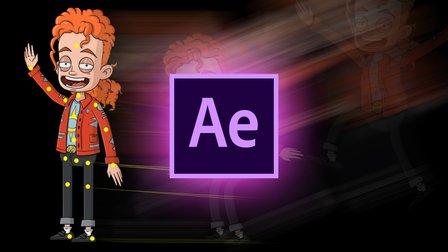
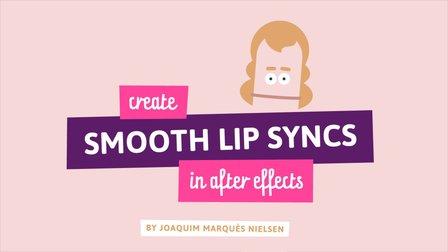
This awesome technique will enable you to create smooth lip syncs in Adobe After Effects. The technique is especially suitable for slow talking characters, but works great at other speeds as well. It's a fun and short class that's straight to the point. If you really want to spice up you character animations in Adobe After Effects, then this class is definitely for you! What are you waiting for? Let's get those lips moving! I'm sure your characters have something fun to say :-)

ASSIGNMENT
Your assignment is to give a fun character or object the ability to finally talk in the smoothest way you could ever imagine! Follow my short video lessons step by step to create and animate a smooth lip sync. Then combine the mouth with your awesome drawing skills or just go ahead and find an image of something you want to place the mouth on ...or you can be super lazy and download the Illustrator file "Head.ai" which contains the head I'm using in the video. BOOM! That's it :-)

DELIVERABLES

  • A short video (3-5 seconds) of your character saying something. Go nuts!
  • Create Project
  • Resources(1)
Go to Class
MOOC List is learner-supported. When you buy through links on our site, we may earn an affiliate commission.

Related Courses

Introduction To Animation (Skillshare) Skillshare
Skillshare

Introduction To Animation (Skillshare)

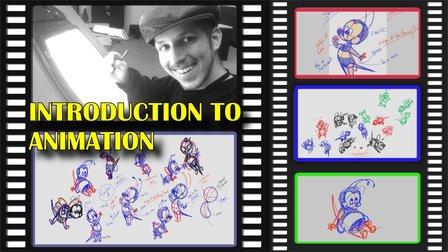
In this pilot episode, we will learn how to animate Spike the Bee from the old school Disney cartoons. For this first class, we will nail down his design, followed by drawing out thumbnails of the character in action. This is a class aimed at students who are either just starting off in the medium or for students who already have some prior knowledge of the art form. This class is great for beginners, hobbyists, and professionals in the field because you can use these skills and your understanding of the character to create your subjects on model in various expressions or poses.

Self Paced
Self-Paced
Speed Up Your Workflow With Motion2 From Mt. Mograph (Skillshare) Skillshare
Skillshare

Speed Up Your Workflow With Motion2 From Mt. Mograph (Skillshare)

In this quick course I’ll show you just a handful of the many incredibly useful tools in Mt. Mograph’s Motion2 plugin. There are so many uses for this plugin, and each one of them on their own is worth the full price. I’ll show you how I use Motion2 regularly to speed up my workflow and keep things moving in After Effects.

Self Paced
Self-Paced
Create a Hand-Drawn .GIF in Photoshop (Skillshare) Skillshare
Skillshare

Create a Hand-Drawn .GIF in Photoshop (Skillshare)

Want to spruce up your blog or website with cute, animated GIFs? Ever needed the perfect reaction GIF for that one meme you love? (We've all been there.) Take this class to learn how you can make one yourself! I'll take you through the entire process of animating hand-drawn characters and lettering in Photoshop, from rough test runs to exporting. It's a lot easier than you might think!

Self Paced
Self-Paced
PowerPoint for Beginners - Program & Animation Basics (Free class) (Skillshare) Skillshare
Skillshare

PowerPoint for Beginners - Program & Animation Basics (Free class) (Skillshare)

This course is intended for beginner and inexperienced designers, who aspire to learn Microsoft PowerPoint for professional or private use. No matter if you want to add a new skill to your portfolio, create videos, impress at work or start beeing an online entrepreneur. If you have very little experience with the software or are a total beginner and this will be the first time you open the software - this is the right course for you!

Self Paced
Self-Paced
How To Get Motion Design Clients (Skillshare) Skillshare
Skillshare

How To Get Motion Design Clients (Skillshare)

So you have developed your animation and illustration skills, so what's next? Technical skills are important, and the skill to get clients is as important. First and foremost I'm an animator. It's my passion. That's what I love to do. And what I've learned early on in my career is that one should also learn the soft skills. I have been in business for about 9 years now and for those 9 years I have learned how to find clients, work on my network, and build genuine connections.

Self Paced
Self-Paced
Texturing characters in Autodesk Maya with Arnold (Skillshare) Skillshare
Skillshare

Texturing characters in Autodesk Maya with Arnold (Skillshare)

In this class you'll learn how to create shaders and textures for 3D characters using the Arnold render engine within Maya. Texturing will allow you to make believable materials for you character's Skin, eyes and hair. For this class you will need a copy of Maya, 2017 or higher, and some experience creating textures in Photoshop.

Self Paced
Self-Paced