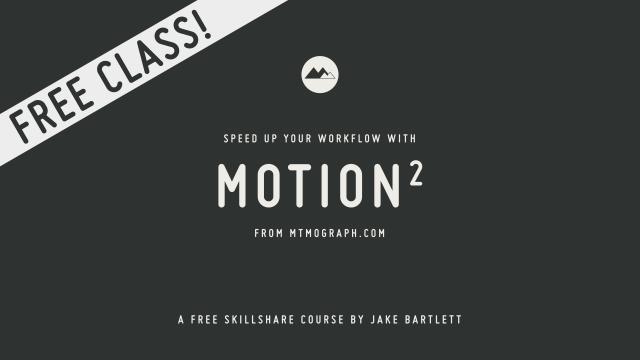
Speed Up Your Workflow With Motion2 From Mt. Mograph (Skillshare)

Offered by Skillshare,
Speed Up Your Workflow With Motion2 From Mt. Mograph (Skillshare)

In this quick course I’ll show you just a handful of the many incredibly useful tools in Mt. Mograph’s Motion2 plugin. There are so many uses for this plugin, and each one of them on their own is worth the full price. I’ll show you how I use Motion2 regularly to speed up my workflow and keep things moving in After Effects.

Matt Jylkka of MtMograph.com is an incredibly talented Motion Designer and teacher. He is also a gifted coder and makes ridiculously useful tools for speeding up his After Effects workflow. Many of his tools are available for free on his website.

Go to Class
MOOC List is learner-supported. When you buy through links on our site, we may earn an affiliate commission.
Related Courses

How to Morph Complex Shapes in After Effects (Skillshare) Skillshare
Skillshare

How to Morph Complex Shapes in After Effects (Skillshare)

Morph Anything into Anything in After Effects Without Extra Plugins. In this tutorial, you will see the steps of morphing complex figures in After Effects. You don't need any extra plugins or programs for the animation. There are three examples of animation workflow. All of them are based on a simple principle: break the animation into steps, and morph a figure to the transitional state. In the end, you can see a screencast of a workflow on morphing a human face into Hulk.

Self Paced
Self-Paced
Create Smooth Lip Syncs in After Effects (Skillshare) Skillshare
Skillshare

Create Smooth Lip Syncs in After Effects (Skillshare)

This awesome technique will enable you to create smooth lip syncs in Adobe After Effects. The technique is especially suitable for slow talking characters, but works great at other speeds as well. It's a fun and short class that's straight to the point. If you really want to spice up you character animations in Adobe After Effects, then this class is definitely for you! What are you waiting for? Let's get those lips moving! I'm sure your characters have something fun to say :-)

Self Paced
Self-Paced
Writing Explainer Animations In After Effects (Skillshare) Skillshare
Skillshare

Writing Explainer Animations In After Effects (Skillshare)

Learn how to uniformly execute an explainer animation from scratch. If you want to learn how motion explainer animation is created from scratch. You are on the right place. Even if you are beginner or intermediate, you'll get extremely useful tips and tricks. The process that is shared makes your animation work flow much more faster than ever.

Self Paced
Self-Paced
Animating Illustrations: Fundamentals of After Effects (Skillshare) Skillshare
Skillshare

Animating Illustrations: Fundamentals of After Effects (Skillshare)

Ever just want to jump right into After Effects but feel it's way too complicated? This is the perfect time for you to start! You'll be learning how to bring an illustration to life using this fabulously creative program. Firstly, we'll take a quick tour around After Effects so you can get to know the interface and from there we'll import and convert an Adobe Illustrator file for use in After Effects and then use it to do some very simple animation so you can get used to keyframing and the timeline.

Self Paced
Self-Paced
Texturing characters in Autodesk Maya with Arnold (Skillshare) Skillshare
Skillshare

Texturing characters in Autodesk Maya with Arnold (Skillshare)

In this class you'll learn how to create shaders and textures for 3D characters using the Arnold render engine within Maya. Texturing will allow you to make believable materials for you character's Skin, eyes and hair. For this class you will need a copy of Maya, 2017 or higher, and some experience creating textures in Photoshop.

Self Paced
Self-Paced