Introduction To Animation (Skillshare)

Offered by Skillshare,
Introduction To Animation (Skillshare)

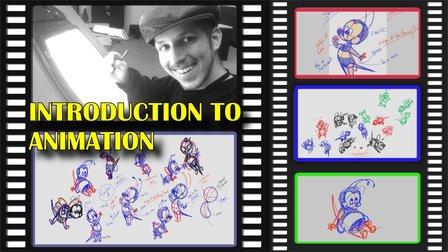
In this pilot episode, we will learn how to animate Spike the Bee from the old school Disney cartoons. For this first class, we will nail down his design, followed by drawing out thumbnails of the character in action. This is a class aimed at students who are either just starting off in the medium or for students who already have some prior knowledge of the art form. This class is great for beginners, hobbyists, and professionals in the field because you can use these skills and your understanding of the character to create your subjects on model in various expressions or poses.

Your class project will come in two parts. The first part will focus on two assignments: deconstructing and then constructing Spike the Bee. The second part will focus on one assignment: creating thumbnails for your animation of Spike the Bee. All in all, these are simple assignments just to get your feet wet in the water before we really dive deep into our animation.

For Assignment A of Part 1: Deconstruct Spike the Bee using the construction tips we learned from the class. To aid you, find four poses of the character online so you will be able to draw over them. Try to find a Front, Back, Left, and Right perspective of the character. When you are finished with those four drawings, screencap them and show that the sketches are drawn over the reference image. Post and share your work here in the class project gallery.

For Assignment B of Part 1: Construct Spike the Bee using the construction tips we learned from the class. This time, we are not going to trace over the reference images. The four drawings we make must come from our imagination. They can be from any kind of perspective you can think of. When you are finished with those four drawings, screencap them as they are since there are no reference images. Post and share your work here in the class project gallery.

For Assignment A of Part 2: Thumbnail Spike the Bee as we plan out our animation of him flying around. You can do as many thumbnails as you wish. All that matters is that you get the feel for the character and think up as many poses of him flying as you can. When you are finished, screencap all of the thumbnails together so they will all appear in one frame. Post and share your work here in the class project gallery.

Share your work and have fun!

Go to Class
MOOC List is learner-supported. When you buy through links on our site, we may earn an affiliate commission.

Related Courses

Animation Station With Neil Patrick Harris (Skillshare) Skillshare
Skillshare

Animation Station With Neil Patrick Harris (Skillshare)

In our latest learning experiment, discover new talents with Neil Patrick Harris, as he learns to illustrate characters and animate scenes with Jon Burgerman. Neil Patrick Harris is a multi-talented, Tony-winning actor, singer, and dancer, but he’s ready to explore new skills and discover hidden talents. In this one-on-one session with artist Jon Burgerman, Neil learns the basics of drawing and animation to create playful characters and bring them to life through digital animation using Procreate on an iPad.

Self Paced
Self-Paced
Exporting GIFs with Adobe Media Encoder - For Windows and Mac OS (Skillshare) Skillshare
Skillshare

Exporting GIFs with Adobe Media Encoder - For Windows and Mac OS (Skillshare)

Learn how to best export your animation as a GIF, whether you are on Windows or Mac OS, using Adobe After Effects and Adobe Media Encoder. There are many ways to create a GIF and even more limitations when it comes to posting it on social media. In this class, I'll go through the process of creating encoding presets, you can use to render out your GIF, what to look out for regarding duration, social media platform and GIF format limitations!

Self Paced
Self-Paced
Modeling, Texturing and Lighting a Pineapple in Maya (Skillshare) Skillshare
Skillshare

Modeling, Texturing and Lighting a Pineapple in Maya (Skillshare)

Have you ever model a 3d Pineapple. If yes, Was your model looking unrealistic? If yes, then watch this class. Modeling, Texturing & Lighting a Pineapple in Maya, this class has lot of information which will help you model complex shapes in Maya. If you are a beginner Maya student then you should watch this class till end to learn valuable Technics in Maya, which you can use in your daily life or in professional life.

Self Paced
Self-Paced
2D Animation: Roughs, Timing, In-betweens, Clean-ups, Colors and More (Skillshare) Skillshare
Skillshare

2D Animation: Roughs, Timing, In-betweens, Clean-ups, Colors and More (Skillshare)

Do you like Thanksgiving? Want to learn to animate a turkey? This class will teach you how to make a turkey jump from side-to-side with only six drawings! You can apply these same animation techniques to any character you like. The class requirements are the program Rough Animator and a drawing tablet.

Self Paced
Self-Paced
Writing Explainer Animations In After Effects (Skillshare) Skillshare
Skillshare

Writing Explainer Animations In After Effects (Skillshare)

Learn how to uniformly execute an explainer animation from scratch. If you want to learn how motion explainer animation is created from scratch. You are on the right place. Even if you are beginner or intermediate, you'll get extremely useful tips and tricks. The process that is shared makes your animation work flow much more faster than ever.

Self Paced
Self-Paced
How to create Amazing 3D Hair & Fur in Maya (Skillshare) Skillshare
Skillshare

How to create Amazing 3D Hair & Fur in Maya (Skillshare)

Creating stylised and believable hair in 3D has been traditionally technically and artistically challenging. However since Maya 2018 there is a more artist friendly set of tools to make hair. The XGen Interactive Grooming Tools, make creating and styling hair really simple by using a series of interactive grooming tools that you can use in the Maya viewport.

Self Paced
Self-Paced
Introduction to 3D Character Animation: #2 - Setting Up (Skillshare) Skillshare
Skillshare

Introduction to 3D Character Animation: #2 - Setting Up (Skillshare)

In this class, you will set up your environment so that you can start doing some character animation. You will also learn how we will approach animating realistic and believable 3D characters. You don't need to have any experience with any 3D software. However, it is recommended that you use the open-source 3D software Blender as that is what we will be using in this class. If you prefer your own 3D software, you will still be able to follow along and apply the principles in your preferred 3D software.

Self Paced
Self-Paced
Introduction to Hand-Drawn Animation With Animatic (Skillshare) Skillshare
Skillshare

Introduction to Hand-Drawn Animation With Animatic (Skillshare)

Learn how to get started creating animations by hand using the free Animatic app for iOS and Android devices in this free class. I'll get you up and running with Animatic and walk you through my entire process for animating by hand. We'll even touch on some basic animation practices like timing, spacing and squash & stretch. By the end of the class you'll have your very own hand-drawn animation!

Self Paced
Self-Paced
Materials Deep Dive with Blender (Skillshare) Skillshare
Skillshare

Materials Deep Dive with Blender (Skillshare)

Have you ever wondered how to make your models look more realistic? The key is usually that the model looks unrealistically perfect. Real-life things have wear and tear on them. That's where this class comes in. You're going to take a deep dive into learning how to use procedurally generated materials for rust and wear. By Procedurally, we mean that it's all created within blender without using externally taken photographs.

Self Paced
Self-Paced