Make Your First Hand-Drawn Animation In TVPaint (Skillshare)

Offered by Skillshare,
Make Your First Hand-Drawn Animation In TVPaint (Skillshare)

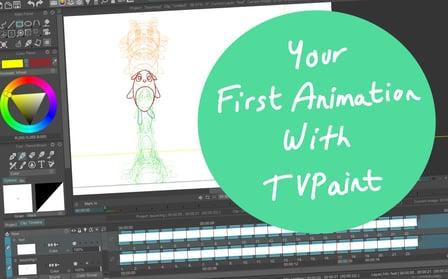
TVPaint Animation allows you to make 2D traditional-like animations. If you wish to make animations which look like pencil on paper, then this class is for you! This class will show you how to start using the basic tools of TVPaint Animation 11 to get you started making simple hand-drawn animations.

As shown in the videos, animate a bouncing ball with the drawing tools of your choice.
After completing this animation, add eyes, ears, arms and legs and animate a jumping round character !
If you don't manage to start on a blank project, you can use the project files as drafts to create your own animation.
The bouncing ball project file can be a good starting point to build your own character.
You need the TVPaint Animation program in order to open the project files.
Feel free to upload your exported video and share it with the other students !
Go to Class
MOOC List is learner-supported. When you buy through links on our site, we may earn an affiliate commission.

Related Courses

Modeling, Texturing and Lighting a Pineapple in Maya (Skillshare) Skillshare
Skillshare

Modeling, Texturing and Lighting a Pineapple in Maya (Skillshare)

Have you ever model a 3d Pineapple. If yes, Was your model looking unrealistic? If yes, then watch this class. Modeling, Texturing & Lighting a Pineapple in Maya, this class has lot of information which will help you model complex shapes in Maya. If you are a beginner Maya student then you should watch this class till end to learn valuable Technics in Maya, which you can use in your daily life or in professional life.

Self Paced
Self-Paced
How To Get Motion Design Clients (Skillshare) Skillshare
Skillshare

How To Get Motion Design Clients (Skillshare)

So you have developed your animation and illustration skills, so what's next? Technical skills are important, and the skill to get clients is as important. First and foremost I'm an animator. It's my passion. That's what I love to do. And what I've learned early on in my career is that one should also learn the soft skills. I have been in business for about 9 years now and for those 9 years I have learned how to find clients, work on my network, and build genuine connections.

Self Paced
Self-Paced
Digital Illustration: Learn to Use Procreate  (Skillshare) Skillshare
Skillshare

Digital Illustration: Learn to Use Procreate (Skillshare)

Love digital illustration? Learn how to use Procreate, the award-winning painting app, for your best work yet! Become a Procreate master and learn a whole new approach to illustration in this fun, accessible class. Taught by illustrator Jarom Vogel, you'll learn how to use Procreate on your iPad to create digital artwork like never before. Whether you're new to digital art or are a seasoned illustrator, you'll unlock a whole new way to make your ideas a reality.

Self Paced
Self-Paced
Writing Explainer Animations In After Effects (Skillshare) Skillshare
Skillshare

Writing Explainer Animations In After Effects (Skillshare)

Learn how to uniformly execute an explainer animation from scratch. If you want to learn how motion explainer animation is created from scratch. You are on the right place. Even if you are beginner or intermediate, you'll get extremely useful tips and tricks. The process that is shared makes your animation work flow much more faster than ever.

Self Paced
Self-Paced
Speed Up Your Workflow With Motion2 From Mt. Mograph (Skillshare) Skillshare
Skillshare

Speed Up Your Workflow With Motion2 From Mt. Mograph (Skillshare)

In this quick course I’ll show you just a handful of the many incredibly useful tools in Mt. Mograph’s Motion2 plugin. There are so many uses for this plugin, and each one of them on their own is worth the full price. I’ll show you how I use Motion2 regularly to speed up my workflow and keep things moving in After Effects.

Self Paced
Self-Paced
Character design for model animation - build cool creatures out of any material! (Skillshare) Skillshare
Skillshare

Character design for model animation - build cool creatures out of any material! (Skillshare)

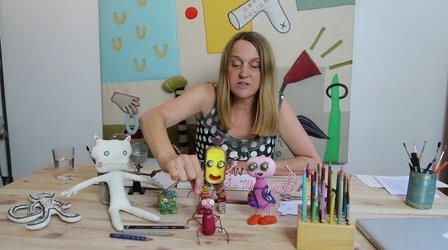
In this course, we start from the base with free doodling and out of this intuitive information we can create a whole world of creatures! And it is your very own, unique world! I will show you how to create this kind of doodles and how to create characters step by step. I will give you insight in good materials to use for model building on a small budget. We will build a small model step by step. And since I like animation, I will put in little pieces of animation wherever I can!

Self Paced
Self-Paced
Speed Up Your Workflow With Motion2 From Mt. Mograph (Skillshare) Skillshare
Skillshare

Speed Up Your Workflow With Motion2 From Mt. Mograph (Skillshare)

In this quick course I’ll show you just a handful of the many incredibly useful tools in Mt. Mograph’s Motion2 plugin. There are so many uses for this plugin, and each one of them on their own is worth the full price. I’ll show you how I use Motion2 regularly to speed up my workflow and keep things moving in After Effects.

Self Paced
Self-Paced
Create Smooth Lip Syncs in After Effects (Skillshare) Skillshare
Skillshare

Create Smooth Lip Syncs in After Effects (Skillshare)

This awesome technique will enable you to create smooth lip syncs in Adobe After Effects. The technique is especially suitable for slow talking characters, but works great at other speeds as well. It's a fun and short class that's straight to the point. If you really want to spice up you character animations in Adobe After Effects, then this class is definitely for you! What are you waiting for? Let's get those lips moving! I'm sure your characters have something fun to say :-)

Self Paced
Self-Paced
Introduction to 3D Character Animation: #2 - Setting Up (Skillshare) Skillshare
Skillshare

Introduction to 3D Character Animation: #2 - Setting Up (Skillshare)

In this class, you will set up your environment so that you can start doing some character animation. You will also learn how we will approach animating realistic and believable 3D characters. You don't need to have any experience with any 3D software. However, it is recommended that you use the open-source 3D software Blender as that is what we will be using in this class. If you prefer your own 3D software, you will still be able to follow along and apply the principles in your preferred 3D software.

Self Paced
Self-Paced