Introduction to Hand-Drawn Animation With Animatic (Skillshare)

Offered by Skillshare,
Introduction to Hand-Drawn Animation With Animatic (Skillshare)

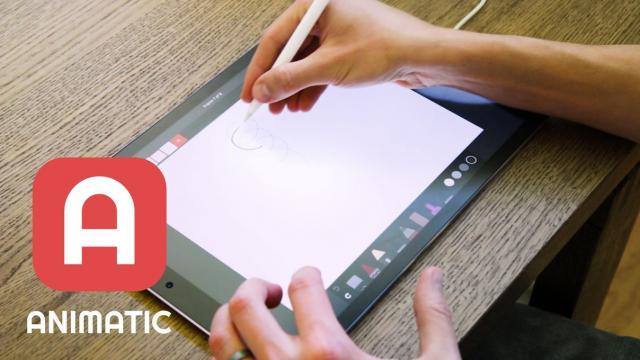
Learn how to get started creating animations by hand using the free Animatic app for iOS and Android devices in this free class. I'll get you up and running with Animatic and walk you through my entire process for animating by hand. We'll even touch on some basic animation practices like timing, spacing and squash & stretch. By the end of the class you'll have your very own hand-drawn animation!

Animating by hand is a lot of fun, but it can also be great practice for any type of animator. Forcing yourself to think about things that computer programs do for you automatically can greatly improve your eye for high-quality motion.

Go to Class
MOOC List is learner-supported. When you buy through links on our site, we may earn an affiliate commission.

Related Courses

Exporting GIFs with Adobe Media Encoder - For Windows and Mac OS (Skillshare) Skillshare
Skillshare

Exporting GIFs with Adobe Media Encoder - For Windows and Mac OS (Skillshare)

Learn how to best export your animation as a GIF, whether you are on Windows or Mac OS, using Adobe After Effects and Adobe Media Encoder. There are many ways to create a GIF and even more limitations when it comes to posting it on social media. In this class, I'll go through the process of creating encoding presets, you can use to render out your GIF, what to look out for regarding duration, social media platform and GIF format limitations!

Self Paced
Self-Paced
Texturing characters in Autodesk Maya with Arnold (Skillshare) Skillshare
Skillshare

Texturing characters in Autodesk Maya with Arnold (Skillshare)

In this class you'll learn how to create shaders and textures for 3D characters using the Arnold render engine within Maya. Texturing will allow you to make believable materials for you character's Skin, eyes and hair. For this class you will need a copy of Maya, 2017 or higher, and some experience creating textures in Photoshop.

Self Paced
Self-Paced
Stylized Hand Painting in MAYA for Mobile Devices (beginners) (Skillshare) Skillshare
Skillshare

Stylized Hand Painting in MAYA for Mobile Devices (beginners) (Skillshare)

This is a FREE hand painting training for beginners. You will learn the traditional hand painting techniques for Stylized art. We will texture our asset in 2d. Which software is required? Maya 2019 and adobe photoshop. What you will learn? We are going to cover a lot of topics starting with modeling simple low poly assets, uv mapping or unwraping, texturing, hand painting techniques, ambient occlusion maps and more.

Self Paced
Self-Paced
Speed Up Your Workflow With Motion2 From Mt. Mograph (Skillshare) Skillshare
Skillshare

Speed Up Your Workflow With Motion2 From Mt. Mograph (Skillshare)

In this quick course I’ll show you just a handful of the many incredibly useful tools in Mt. Mograph’s Motion2 plugin. There are so many uses for this plugin, and each one of them on their own is worth the full price. I’ll show you how I use Motion2 regularly to speed up my workflow and keep things moving in After Effects.

Self Paced
Self-Paced
How to Morph Complex Shapes in After Effects (Skillshare) Skillshare
Skillshare

How to Morph Complex Shapes in After Effects (Skillshare)

Morph Anything into Anything in After Effects Without Extra Plugins. In this tutorial, you will see the steps of morphing complex figures in After Effects. You don't need any extra plugins or programs for the animation. There are three examples of animation workflow. All of them are based on a simple principle: break the animation into steps, and morph a figure to the transitional state. In the end, you can see a screencast of a workflow on morphing a human face into Hulk.

Self Paced
Self-Paced
Introduction to 3D Character Animation: #2 - Setting Up (Skillshare) Skillshare
Skillshare

Introduction to 3D Character Animation: #2 - Setting Up (Skillshare)

In this class, you will set up your environment so that you can start doing some character animation. You will also learn how we will approach animating realistic and believable 3D characters. You don't need to have any experience with any 3D software. However, it is recommended that you use the open-source 3D software Blender as that is what we will be using in this class. If you prefer your own 3D software, you will still be able to follow along and apply the principles in your preferred 3D software.

Self Paced
Self-Paced
How to Animate a Sketch UI using Principle (Skillshare) Skillshare
Skillshare

How to Animate a Sketch UI using Principle (Skillshare)

This class will show you how to add motion to a User Interface that has been designed in Sketch using Prototype. It’s perfect for any designer who creates their UI using Sketch and wants to add motion and interaction to their designs. No prior experience of Principle is required to take the class as I’ll explain how to use it. The only thing you need to do before you take this is to download the Principle app on your machine.

Self Paced
Self-Paced
Digital Illustration: Learn to Use Procreate  (Skillshare) Skillshare
Skillshare

Digital Illustration: Learn to Use Procreate (Skillshare)

Love digital illustration? Learn how to use Procreate, the award-winning painting app, for your best work yet! Become a Procreate master and learn a whole new approach to illustration in this fun, accessible class. Taught by illustrator Jarom Vogel, you'll learn how to use Procreate on your iPad to create digital artwork like never before. Whether you're new to digital art or are a seasoned illustrator, you'll unlock a whole new way to make your ideas a reality.

Self Paced
Self-Paced