Texturing characters in Autodesk Maya with Arnold (Skillshare)

Offered by Skillshare,
Texturing characters in Autodesk Maya with Arnold (Skillshare)

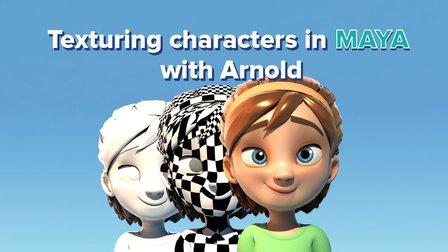
In this class you'll learn how to create shaders and textures for 3D characters using the Arnold render engine within Maya. Texturing will allow you to make believable materials for you character's Skin, eyes and hair. For this class you will need a copy of Maya, 2017 or higher, and some experience creating textures in Photoshop.

Yone will take you through his process of taking a character which used old Mental Ray materials and how to upgrade them for use in Arnold. Using the Arnold standard surface material he will show how you can quickly develop textures and create stunning renders.
Take a 3D character from the weblink below and make textures for the skin, eyes and hair. If you are feeling adventurous why not texture a character that you have made yourself!
Import your character into Yone's render scene and you will have the lighting all set for you to only worry about creating the textures.
Render and add a still JPEG of your character to the student project section for some feedback.
Go to Class
MOOC List is learner-supported. When you buy through links on our site, we may earn an affiliate commission.

Related Courses

Create a Hand-Drawn .GIF in Photoshop (Skillshare) Skillshare
Skillshare

Create a Hand-Drawn .GIF in Photoshop (Skillshare)

Want to spruce up your blog or website with cute, animated GIFs? Ever needed the perfect reaction GIF for that one meme you love? (We've all been there.) Take this class to learn how you can make one yourself! I'll take you through the entire process of animating hand-drawn characters and lettering in Photoshop, from rough test runs to exporting. It's a lot easier than you might think!

Self Paced
Self-Paced
Introduction to 3D Character Animation: #2 - Setting Up (Skillshare) Skillshare
Skillshare

Introduction to 3D Character Animation: #2 - Setting Up (Skillshare)

In this class, you will set up your environment so that you can start doing some character animation. You will also learn how we will approach animating realistic and believable 3D characters. You don't need to have any experience with any 3D software. However, it is recommended that you use the open-source 3D software Blender as that is what we will be using in this class. If you prefer your own 3D software, you will still be able to follow along and apply the principles in your preferred 3D software.

Self Paced
Self-Paced
Create Smooth Lip Syncs in After Effects (Skillshare) Skillshare
Skillshare

Create Smooth Lip Syncs in After Effects (Skillshare)

This awesome technique will enable you to create smooth lip syncs in Adobe After Effects. The technique is especially suitable for slow talking characters, but works great at other speeds as well. It's a fun and short class that's straight to the point. If you really want to spice up you character animations in Adobe After Effects, then this class is definitely for you! What are you waiting for? Let's get those lips moving! I'm sure your characters have something fun to say :-)

Self Paced
Self-Paced
Introduction to Hand-Drawn Animation With Animatic (Skillshare) Skillshare
Skillshare

Introduction to Hand-Drawn Animation With Animatic (Skillshare)

Learn how to get started creating animations by hand using the free Animatic app for iOS and Android devices in this free class. I'll get you up and running with Animatic and walk you through my entire process for animating by hand. We'll even touch on some basic animation practices like timing, spacing and squash & stretch. By the end of the class you'll have your very own hand-drawn animation!

Self Paced
Self-Paced
Animating Illustrations: Fundamentals of After Effects (Skillshare) Skillshare
Skillshare

Animating Illustrations: Fundamentals of After Effects (Skillshare)

Ever just want to jump right into After Effects but feel it's way too complicated? This is the perfect time for you to start! You'll be learning how to bring an illustration to life using this fabulously creative program. Firstly, we'll take a quick tour around After Effects so you can get to know the interface and from there we'll import and convert an Adobe Illustrator file for use in After Effects and then use it to do some very simple animation so you can get used to keyframing and the timeline.

Self Paced
Self-Paced
Exporting GIFs with Adobe Media Encoder - For Windows and Mac OS (Skillshare) Skillshare
Skillshare

Exporting GIFs with Adobe Media Encoder - For Windows and Mac OS (Skillshare)

Learn how to best export your animation as a GIF, whether you are on Windows or Mac OS, using Adobe After Effects and Adobe Media Encoder. There are many ways to create a GIF and even more limitations when it comes to posting it on social media. In this class, I'll go through the process of creating encoding presets, you can use to render out your GIF, what to look out for regarding duration, social media platform and GIF format limitations!

Self Paced
Self-Paced
How to Animate a Sketch UI using Principle (Skillshare) Skillshare
Skillshare

How to Animate a Sketch UI using Principle (Skillshare)

This class will show you how to add motion to a User Interface that has been designed in Sketch using Prototype. It’s perfect for any designer who creates their UI using Sketch and wants to add motion and interaction to their designs. No prior experience of Principle is required to take the class as I’ll explain how to use it. The only thing you need to do before you take this is to download the Principle app on your machine.

Self Paced
Self-Paced
Stylized Hand Painting in MAYA for Mobile Devices (beginners) (Skillshare) Skillshare
Skillshare

Stylized Hand Painting in MAYA for Mobile Devices (beginners) (Skillshare)

This is a FREE hand painting training for beginners. You will learn the traditional hand painting techniques for Stylized art. We will texture our asset in 2d. Which software is required? Maya 2019 and adobe photoshop. What you will learn? We are going to cover a lot of topics starting with modeling simple low poly assets, uv mapping or unwraping, texturing, hand painting techniques, ambient occlusion maps and more.

Self Paced
Self-Paced
How To Get Motion Design Clients (Skillshare) Skillshare
Skillshare

How To Get Motion Design Clients (Skillshare)

So you have developed your animation and illustration skills, so what's next? Technical skills are important, and the skill to get clients is as important. First and foremost I'm an animator. It's my passion. That's what I love to do. And what I've learned early on in my career is that one should also learn the soft skills. I have been in business for about 9 years now and for those 9 years I have learned how to find clients, work on my network, and build genuine connections.

Self Paced
Self-Paced