Character design for model animation - build cool creatures out of any material! (Skillshare)

Offered by Skillshare,
Character design for model animation - build cool creatures out of any material! (Skillshare)

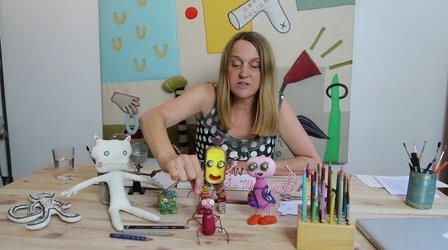
In this course, we start from the base with free doodling and out of this intuitive information we can create a whole world of creatures! And it is your very own, unique world! I will show you how to create this kind of doodles and how to create characters step by step. I will give you insight in good materials to use for model building on a small budget. We will build a small model step by step. And since I like animation, I will put in little pieces of animation wherever I can!

The end product can be a small puppet, or a cool doodle . Let´s dive into our secret doodle world!
You can relate to one of the exercises in the videos.

  1. Fill a paper with a doodle, than move with a piece of plastic (with small eyes drawn on it) over the drawing and look for hidden creatures. Draw your favorite creature. Or draw with someone else! That is also fun!
  2. Draw lot´s of basic forms (or combined forms) on a strong piece of paper or cardboard, using a thick black marker. Draw small and bigger forms, like in the video. Cut them all out carefully, until you have a nice collection of shapes and forms. Now go and collect all kind of everyday objects, look at the forms or textures, can you imagine them to be part of a creature? Then put both collections on a table and start playing with them and combine them. You will find the most funny creatures! Make pictures of them and post them here!
  3. Try to make a small model like in the video about building a puppet. If you have the right materials. You should be able to get these materials in hobby shops. Have fun!
Go to Class
MOOC List is learner-supported. When you buy through links on our site, we may earn an affiliate commission.
Related Courses

Introduction to 3D Character Animation: #2 - Setting Up (Skillshare) Skillshare
Skillshare

Introduction to 3D Character Animation: #2 - Setting Up (Skillshare)

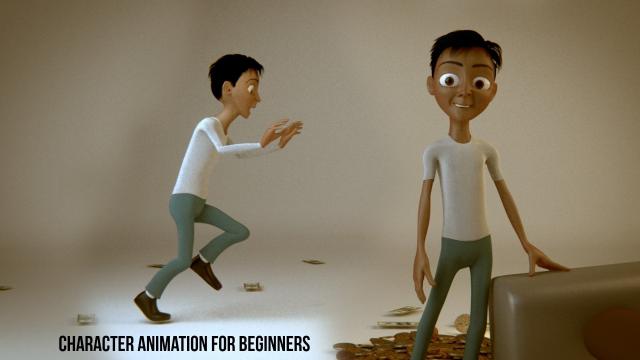
In this class, you will set up your environment so that you can start doing some character animation. You will also learn how we will approach animating realistic and believable 3D characters. You don't need to have any experience with any 3D software. However, it is recommended that you use the open-source 3D software Blender as that is what we will be using in this class. If you prefer your own 3D software, you will still be able to follow along and apply the principles in your preferred 3D software.

Self Paced
Self-Paced
3D Modeling: Character Modeling Challenge (Skillshare) Skillshare
Skillshare

3D Modeling: Character Modeling Challenge (Skillshare)

Are you tired of being a newbie with all the 3D modeling and animation you're learning? Do you want to learn and level up past being a novice? If that's you then this challenge is for you. The key to becoming great at anything is practice and progress, and that's what this challenge is all about. It doesn't matter when you start. Just get started! I'll be watching the projects closely as you create your characters each day.

Self Paced
Self-Paced
Animating Illustrations: Fundamentals of After Effects (Skillshare) Skillshare
Skillshare

Animating Illustrations: Fundamentals of After Effects (Skillshare)

Ever just want to jump right into After Effects but feel it's way too complicated? This is the perfect time for you to start! You'll be learning how to bring an illustration to life using this fabulously creative program. Firstly, we'll take a quick tour around After Effects so you can get to know the interface and from there we'll import and convert an Adobe Illustrator file for use in After Effects and then use it to do some very simple animation so you can get used to keyframing and the timeline.

Self Paced
Self-Paced
Texturing characters in Autodesk Maya with Arnold (Skillshare) Skillshare
Skillshare

Texturing characters in Autodesk Maya with Arnold (Skillshare)

In this class you'll learn how to create shaders and textures for 3D characters using the Arnold render engine within Maya. Texturing will allow you to make believable materials for you character's Skin, eyes and hair. For this class you will need a copy of Maya, 2017 or higher, and some experience creating textures in Photoshop.

Self Paced
Self-Paced
Modeling, Texturing and Lighting a Pineapple in Maya (Skillshare) Skillshare
Skillshare

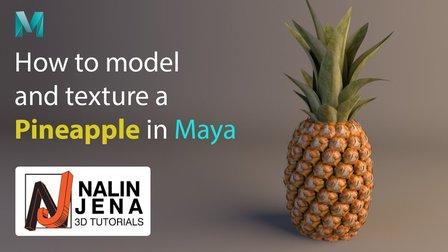
Modeling, Texturing and Lighting a Pineapple in Maya (Skillshare)

Have you ever model a 3d Pineapple. If yes, Was your model looking unrealistic? If yes, then watch this class. Modeling, Texturing & Lighting a Pineapple in Maya, this class has lot of information which will help you model complex shapes in Maya. If you are a beginner Maya student then you should watch this class till end to learn valuable Technics in Maya, which you can use in your daily life or in professional life.

Self Paced
Self-Paced
2D Animation: Roughs, Timing, In-betweens, Clean-ups, Colors and More (Skillshare) Skillshare
Skillshare

2D Animation: Roughs, Timing, In-betweens, Clean-ups, Colors and More (Skillshare)

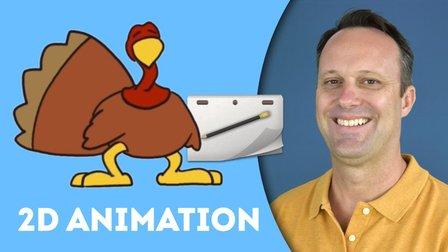
Do you like Thanksgiving? Want to learn to animate a turkey? This class will teach you how to make a turkey jump from side-to-side with only six drawings! You can apply these same animation techniques to any character you like. The class requirements are the program Rough Animator and a drawing tablet.

Self Paced
Self-Paced
Small Doodling exercises- Handwritten letters (Skillshare) Skillshare
Skillshare

Small Doodling exercises- Handwritten letters (Skillshare)

I make illustrations with different texts and words. I use Blender for animating those. For a beginner it can be intimidating but turns out it is pretty simple to start with.Here I give you a small procedure that might help you make something creative really really fast. Try it out on your own and let me know if you had fun doing it.

Self Paced
Self-Paced
Create Smooth Lip Syncs in After Effects (Skillshare) Skillshare
Skillshare

Create Smooth Lip Syncs in After Effects (Skillshare)

This awesome technique will enable you to create smooth lip syncs in Adobe After Effects. The technique is especially suitable for slow talking characters, but works great at other speeds as well. It's a fun and short class that's straight to the point. If you really want to spice up you character animations in Adobe After Effects, then this class is definitely for you! What are you waiting for? Let's get those lips moving! I'm sure your characters have something fun to say :-)

Self Paced
Self-Paced
Introduction to Blender For Beginners - #1 - Introduction (Skillshare) Skillshare
Skillshare

Introduction to Blender For Beginners - #1 - Introduction (Skillshare)

Welcome to the Introduction to Blender For Beginners Course! Throughout the next series of classes, you will learn the basics of (nearly) everything in Blender. Without needing to invest a whole lot of time or money, you will learn how to get started with 3D modeling, lighting, animation, sculpting, rendering, and physics to name a few with exercises spread throughout so that you can get your first experience with the software and gain overall confidence along the way.

Self Paced
Self-Paced
Speed Up Your Workflow With Motion2 From Mt. Mograph (Skillshare) Skillshare
Skillshare

Speed Up Your Workflow With Motion2 From Mt. Mograph (Skillshare)

In this quick course I’ll show you just a handful of the many incredibly useful tools in Mt. Mograph’s Motion2 plugin. There are so many uses for this plugin, and each one of them on their own is worth the full price. I’ll show you how I use Motion2 regularly to speed up my workflow and keep things moving in After Effects.

Self Paced
Self-Paced