How to Make Dope Animated Loops Vol 2 (Skillshare)

Offered by Skillshare,
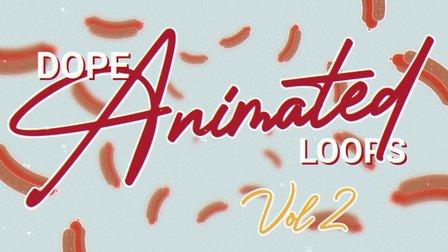
How to Make Dope Animated Loops Vol 2 (Skillshare)

Do you want to earn more money, score dream clients, and work on your passion projects? Me neither! That’s why we’re going to learn how to animate this hot dog. Welcome to How to Make Dope Animated Loops Volume 2.

When you take my advanced motion skills and chill demeanor, combined with your shocking good looks and passion for animated sausages, we’re going to breeze through all the steps including:

  • design
  • animating a hot dog
  • secondary animations
  • working with 3D cameras
  • texturing
  • even downloading images from the dang internet!

You can download my project files and follow along, or create your own designs and do whatever you want! In no time you’ll have all the skills required to bring this wiener to life. I believe this class is for beginners, but last time I said that I was clearly wrong. So let’s go ahead and call this one Intermediate.
So hold on to your buns and I’ll see you in class.
In this class, we're going to cover the basics of animating delicious deli meat scene in After Effects. The course is roughly broken up into the following stages:

  • Design your scene in Adobe Illustrator, Photoshop, or download this project file to follow along
  • Set up the scene and animate your food
  • Create the Write on text Effect
  • Spice it up with some 3D
  • Add some texture
  • Share your project on Skillshare

Frequently asked questions:

  • Do I need to take Dope Animated Loop Volume 1 prior to taking this class?

No. The classes are independent of each other. However there are a few reasons you might want to take Volume 1 first: It's easier, it's shorter, and I will earn more money if you do.

  • What programs will be covered in this class?

Adobe Illustrator and After Effects. You may use a different illustration program such as Photoshop or Procreate if you prefer.

  • Do I have to animate a Hot Dog?

No! I encourage you to animate anything you want. However, the course covers specific steps involved in animating this hot dog loop. You may download the project files if you want to dissect my work and follow along.

Go to Class
MOOC List is learner-supported. When you buy through links on our site, we may earn an affiliate commission.

Related Courses

Create Smooth Lip Syncs in After Effects (Skillshare) Skillshare
Skillshare

Create Smooth Lip Syncs in After Effects (Skillshare)

This awesome technique will enable you to create smooth lip syncs in Adobe After Effects. The technique is especially suitable for slow talking characters, but works great at other speeds as well. It's a fun and short class that's straight to the point. If you really want to spice up you character animations in Adobe After Effects, then this class is definitely for you! What are you waiting for? Let's get those lips moving! I'm sure your characters have something fun to say :-)

Self Paced
Self-Paced
Introduction To Animation (Skillshare) Skillshare
Skillshare

Introduction To Animation (Skillshare)

In this pilot episode, we will learn how to animate Spike the Bee from the old school Disney cartoons. For this first class, we will nail down his design, followed by drawing out thumbnails of the character in action. This is a class aimed at students who are either just starting off in the medium or for students who already have some prior knowledge of the art form. This class is great for beginners, hobbyists, and professionals in the field because you can use these skills and your understanding of the character to create your subjects on model in various expressions or poses.

Self Paced
Self-Paced
How to design a logo with golden Ratio (Skillshare) Skillshare
Skillshare

How to design a logo with golden Ratio (Skillshare)

How to design a logo with golden Ratio. Many designers search for a good tutorial about golden ratio and how to use it in logo design, I was searching for this before and I found a hard time to find some good resources but there is never the good explained video. So today, I tried my best to explain how to use the golden ratio in logo design and how to make a logo using golden circles.

Self Paced
Self-Paced
3D Modeling: Character Modeling Challenge (Skillshare) Skillshare
Skillshare

3D Modeling: Character Modeling Challenge (Skillshare)

Are you tired of being a newbie with all the 3D modeling and animation you're learning? Do you want to learn and level up past being a novice? If that's you then this challenge is for you. The key to becoming great at anything is practice and progress, and that's what this challenge is all about. It doesn't matter when you start. Just get started! I'll be watching the projects closely as you create your characters each day.

Self Paced
Self-Paced
PowerPoint for Beginners - Program & Animation Basics (Free class) (Skillshare) Skillshare
Skillshare

PowerPoint for Beginners - Program & Animation Basics (Free class) (Skillshare)

This course is intended for beginner and inexperienced designers, who aspire to learn Microsoft PowerPoint for professional or private use. No matter if you want to add a new skill to your portfolio, create videos, impress at work or start beeing an online entrepreneur. If you have very little experience with the software or are a total beginner and this will be the first time you open the software - this is the right course for you!

Self Paced
Self-Paced
Small Doodling exercises- Handwritten letters (Skillshare) Skillshare
Skillshare

Small Doodling exercises- Handwritten letters (Skillshare)

I make illustrations with different texts and words. I use Blender for animating those. For a beginner it can be intimidating but turns out it is pretty simple to start with.Here I give you a small procedure that might help you make something creative really really fast. Try it out on your own and let me know if you had fun doing it.

Self Paced
Self-Paced
Speed Up Your Workflow With Motion2 From Mt. Mograph (Skillshare) Skillshare
Skillshare

Speed Up Your Workflow With Motion2 From Mt. Mograph (Skillshare)

In this quick course I’ll show you just a handful of the many incredibly useful tools in Mt. Mograph’s Motion2 plugin. There are so many uses for this plugin, and each one of them on their own is worth the full price. I’ll show you how I use Motion2 regularly to speed up my workflow and keep things moving in After Effects.

Self Paced
Self-Paced
How to Morph Complex Shapes in After Effects (Skillshare) Skillshare
Skillshare

How to Morph Complex Shapes in After Effects (Skillshare)

Morph Anything into Anything in After Effects Without Extra Plugins. In this tutorial, you will see the steps of morphing complex figures in After Effects. You don't need any extra plugins or programs for the animation. There are three examples of animation workflow. All of them are based on a simple principle: break the animation into steps, and morph a figure to the transitional state. In the end, you can see a screencast of a workflow on morphing a human face into Hulk.

Self Paced
Self-Paced
Texturing characters in Autodesk Maya with Arnold (Skillshare) Skillshare
Skillshare

Texturing characters in Autodesk Maya with Arnold (Skillshare)

In this class you'll learn how to create shaders and textures for 3D characters using the Arnold render engine within Maya. Texturing will allow you to make believable materials for you character's Skin, eyes and hair. For this class you will need a copy of Maya, 2017 or higher, and some experience creating textures in Photoshop.

Self Paced
Self-Paced