Whimsical - Flowcharts and Wireframes (Skillshare)

Offered by Skillshare,
Whimsical - Flowcharts and Wireframes (Skillshare)

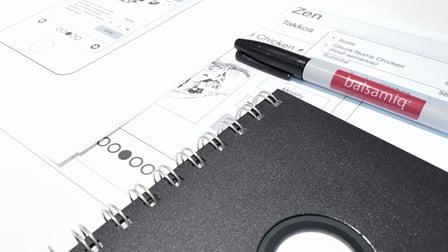
Whimsical is a relatively new online collaboration tool that allows you to build quick flowcharts and wireframes. Think of it as similar to Google docs, in that several users can be on the same screen all working together. Pretty cool! There are no prerequisites for the class and Whimsical has a free tier for up to four boards. Along the way, l have a couple of challenges for you to work on. So, join me in learning to create flowcharts and wireframes with Whimsical.

There are two projects in the class. The first is to design a VUI or Visual User Interface diagram using the flowchart tools. This could be a "skill" in Alexa for example or maybe an app with voice control. I'll give a short example where I'm designing for the Alexa platform.
The second project is using the wireframing tools to build a copy of your favorite website landing page or a whole new concept. I'll be showing you a quick and rough version of Twitter as a wireframe, but you can choose anything.


Go to Class
MOOC List is learner-supported. When you buy through links on our site, we may earn an affiliate commission.

Related Courses

Validating product ideas with interviews for Product Managers (Skillshare) Skillshare
Skillshare

Validating product ideas with interviews for Product Managers (Skillshare)

I designed this course for Product Managers who have new product or feature ideas and would like to talk to customers and learn whether their idea will fly. This is the first and ultimate question in product development: do customers need my product? Do they need it so dearly that they would actually pay for it? So, how do you figure this out before actually building the product? Well, user research has your back covered. You can find out whether customers need a product or a feature even before you wrote a single line of code.

Self Paced
Self-Paced
The mobile design process: The basics of how to get started (Skillshare) Skillshare
Skillshare

The mobile design process: The basics of how to get started (Skillshare)

The mobile design process: The Basics of how to get started. If you have an idea for an application and you don’t know how to start, this course is for you. By watching these videos you will be able to follow these easy steps to (puede ser shape o work on) your idea; at the end of the course you'll end up making a document holding the key points of your product that allow you to start the wireframe process without major inconveniences.

Self Paced
Self-Paced
Design Principles: an Introduction (Coursera) Coursera
University of California, San Diego

Design Principles: an Introduction (Coursera)

What makes an interface intuitive? How can I tell whether one design works better than another? This course will teach you fundamental principles of design and how to effectively evaluate your work with users. You'll learn fundamental principles of visual design so that you can effectively organize and present information with your interfaces. You'll learn principles of perception and cognition that inform effective interaction design. And you'll learn how to perform and analyze controlled experiments online. In many cases, we'll use Web design as the anchoring domain.

Sep 21st 2026
3 Weeks
Rapid Prototyping of Embedded Interface Designs (Coursera) Coursera
University of Colorado Boulder

Rapid Prototyping of Embedded Interface Designs (Coursera)

Rapid Prototyping is the second of three classes in the Embedded Interface Design (EID) specialization, an online version of the on-campus EID class taught in graduate embedded systems design. This course is focused on rapid prototyping of devices and systems and the related methods, practices, and principles that will help ensure your embedded interface designs are what your users both need and want.

Sep 7th 2026
4 Weeks
Discovery Kanban 101: How to Integrate User-Centered Design with Agile (Skillshare) Skillshare
Skillshare

Discovery Kanban 101: How to Integrate User-Centered Design with Agile (Skillshare)

Learn how to make space for designers and researchers to do user-centered design in an Agile/scrum engineering environment. By creating an explicit Discovery process to focus on customer needs before committing engineers to shipping code, you will unlock design’s potential to deliver great user experiences to your customers.

Self Paced
Self-Paced
UI/UX: You already know more than you think (Skillshare) Skillshare
Skillshare

UI/UX: You already know more than you think (Skillshare)

Have you ever given thought to who your audience is for a specific project? Tried to make your piece as user-friendly as possible? Done a dry run on how someone interacts with your book/brochure/website? Tried to establish the most effective hierarchy for the information you’re conveying? Then you’ve already done interface and experience design.

Self Paced
Self-Paced
Introduction to User Experience Design (Coursera) Coursera
Georgia Institute of Technology

Introduction to User Experience Design (Coursera)

The focus of this course is to introduce the learner to User Experience (UX) Design. User Experience design is design that is user centered. The goal is to design artifacts that allow the users to meet their needs in the most effective efficient and satisfying manner. The course introduces the novice to a cycle of discovery and evaluation and a set of techniques that meet the user's needs.

Sep 7th 2026
5-12 Weeks
Understanding User Needs (Coursera) Coursera
University of Michigan

Understanding User Needs (Coursera)

Designing effective interactive systems requires understanding the needs and capabilities of the people who will be using them. In this UX course we will focus on how to interact with users (or potential users) to understand what they need, what they currently do, what they love and hate, and examine human capabilities and behavior as they relate to UX design.

Sep 7th 2026
5-12 Weeks
UX Design Fundamentals (Coursera) Coursera
California College of the Arts

UX Design Fundamentals (Coursera)

This hands-on course examines how content is organized and structured to create an experience for a user, and what role the designer plays in creating and shaping user experience. You will be led through a condensed process that acts as a roadmap for developing robust UI/UX design: from ideation and sitemapping, to the creation of paper and digital prototypes. Building on the design skills learned in Visual Elements of User Interface Design, you will apply this methodology to produce a digital prototype for a multi-screen app of your own invention.

Sep 7th 2026
4 Weeks