Creating Toolpaths for a CNC Lathe (Coursera)

Offered by Autodesk,
Creating Toolpaths for a CNC Lathe (Coursera)

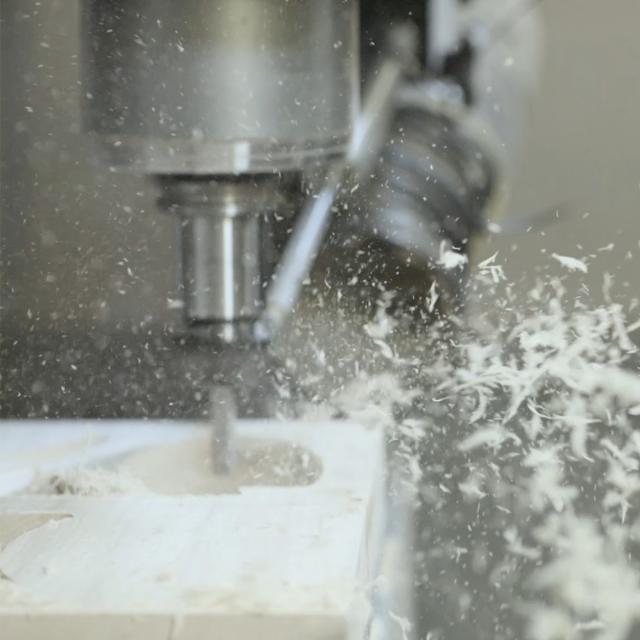
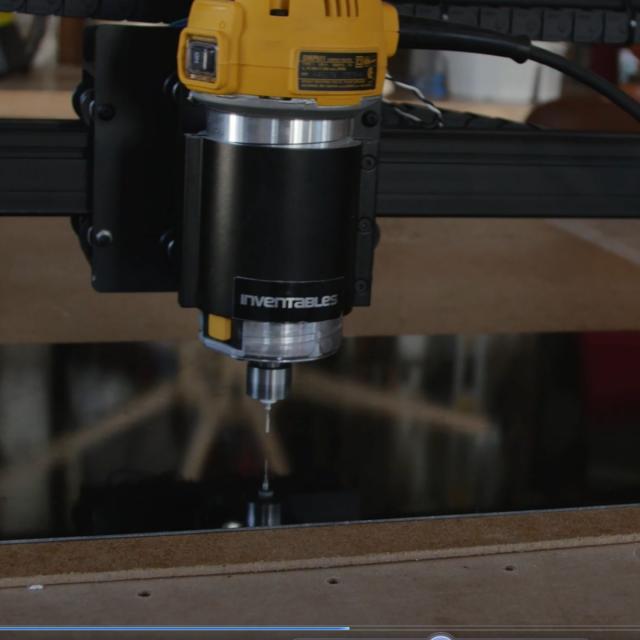
CNC machines come in an almost endless array of configurations for various applications. So far, we have only talked about CNC Mills. More specifically vertical milling centers. In this course we turn our attention to the CNC Lathe. We identify the difference in a lathe’s coordinate system, tools, and how to create lathe specific toolpaths.

Class Deals by MOOC List - Click here and see Coursera's Active Discounts, Deals, and Promo Codes.

Want to take your learning to the next level? Complete the Autodesk CAD/CAM for Manufacturing Specialization, and you’ll unlock an additional Autodesk Credential as further recognition of your success! The Autodesk Credential comes with a digital badge and certificate, which you can add to your resume and share on social media platforms like LinkedIn, Facebook, and Twitter. Sharing your Autodesk Credential can signal to hiring managers that you’ve got the right skills for the job and you’re up on the latest industry trends like generative design.
What You Will Learn

  • Explore toolpaths for CNC Lathes.
  • Identify a lathe coordinate system.
  • Choose lathe specific tools.
  • Create turning toolpaths.

Course 3 of 4 in the Autodesk CAD/CAM for Manufacturing Specialization.

Syllabus

WEEK 1
Setting up and Cutting a Profile
In Week 1, we’ll learn how to set up a CNC Lathe coordinate system, stock, and begin cutting some basic geometry. The fundamental difference in how a lathe coordinate system is set and how the stock is held are critical to the success of turning toolpaths. Once we understand these concepts, we can begin exploring more complicated geometry.

WEEK 2
Internal and External Grooving Toolpaths
In Week 2, we’ll dive in deeper to turning toolpath functionality by exploring internal and external grooving. With Fusion 360 we can identify and cut a single position groove as well as handle roughing and finishing multiple grooves in multiple orientations. So, let’s take a look at grooving toolpaths in Fusion 360.

WEEK 3
Threading and Chamfering for Turning
In Week 3, we’ll turn our attention to more finishing toolpaths to break edges and create threads. There are a few different ways to create threads on turned parts and we’ll start by looking at cutting external threads, tapping internal threads along the axis of revolution, as well as identifying live turning tools to drill and tap on a C-axis.

WEEK 4
CNC Lathe Stock Handling
In Week 4, we’ll learn more about various options that CNC Lathes can have. We’ll learn about parting to cut geometry away from the stock as well as some various options for stock transfer using multiple chucks. CNC lathes often can move another chuck in to grab the part, cut it away from stock, and then machine the back side. This advanced functionality is supported in Fusion 360 so let’s learn how to use it.

Go to Class
MOOC List is learner-supported. When you buy through links on our site, we may earn an affiliate commission.

Related Courses

Generative Design for Additive Manufacturing (Coursera) Coursera
Autodesk

Generative Design for Additive Manufacturing (Coursera)

This course introduces you to one of the more common applications of generative design: Additive Manufacturing or 3D printing as it’s also known. In this course, we explore the basics of geometry creation and the mindset shift needed to build a generative design—a deeper understanding of generative design, its parameters, and how to work with the results specifically aimed at making a 3D printed metal part.

Jan 6th 2025
4 Weeks
Manufacturing Process Control I (edX) EdX
MIT,MITx

Manufacturing Process Control I (edX)

Learn how to model variations in manufacturing processes and develop methods to reduce and control deterministic variations to achieve consistent process quality. Randomness is inherent in all processes including manufacturing. The fundamental concepts taught in this course will help learners develop powerful statistical process control methods that are the foundation of world-class manufacturing quality.

Aug 18th 2026
5-12 Weeks
Engineering Drawing | 工程制图 (edX) EdX
Tsinghua University,TsinghuaX

Engineering Drawing | 工程制图 (edX)

“Engineering Drawing” is a fundamental course of engineering technology, including two parts: basic theories and advanced practices. The first part will introduce the theory of projection and its application on drawings. The second part is to give students general experience in producing a variety of mechanical drawings.

Self Paced
Self-Paced
Computer-Aided Design (CAD) (saylor.org) Saylor Academy
Saylor.org

Computer-Aided Design (CAD) (saylor.org)

CAD, or computer-aided design, is a powerful modeling tool that technical professionals use. With CAD, architects can draw up building plans and engineers can develop component and system designs. Some CAD programs even allow users to perform stress analysis, demonstrating how well a proposed structure will fare when put to use. For example, when does a load become too big? How much weight can be put onto a bridge before it becomes structurally unsound? Using CAD, professionals can create precise engineering drawings in both 2- and 3-D, complete with dimensions and specifications, in a neat and readable format.

Legacy Course
Self-Paced
Engineering Design Process with Autodesk Fusion 360 (Coursera) Coursera
Autodesk

Engineering Design Process with Autodesk Fusion 360 (Coursera)

This course provides a deeper exploration of mechanical assemblies and simulation, which are key engineering features of the design and manufacturing process. The foundation of engineering design is exploration and iteration. Design is rarely a perfectly linear and straightforward process. In this course, we'll explore mechanical assembly design and simulation, focusing on testing and improving design components and performance.

Nov 4th 2024
4 Weeks
Introduction to CAD, CAM, and Practical CNC Machining (Coursera) Coursera
Autodesk

Introduction to CAD, CAM, and Practical CNC Machining (Coursera)

This course introduces you to the foundational knowledge in computer-aided design, manufacture, and the practical use of CNC machines. In this course we begin with the basics in Autodesk® Fusion 360™ CAD by learning how to properly sketch and model 3D parts. Before we program any toolpaths, we’ll explore CNC machining basics to ensure we have the ground level foundational knowledge needed to effectively define toolpaths.

Nov 11th 2024
4 Weeks
Introduction to Solid Edge (Coursera) Coursera
Siemens

Introduction to Solid Edge (Coursera)

The Introduction to Siemens Solid Edge software will enable you to learn basic design concepts in both 2D and 3D environments using Computer-Aided Design (CAD) software. The concepts include 2D sketches, basic shapes, 3D models, and simple assemblies. You’ll gain experience using commands such as extrude, revolve, rounds, blend, and thinwall to more efficiently design solid models. Additionally, you’ll learn about drafting concepts such as detailing, drawing view, section cuts, and design intent.

Sep 28th 2026
5-12 Weeks
Advanced Manufacturing Process Analysis (Coursera) Coursera
University at Buffalo,The State University of New York

Advanced Manufacturing Process Analysis (Coursera)

Extreme variability is a fact of life in manufacturing environments, impacting product quality and yield. Through this course, students will learn why performing advanced analysis of manufacturing processes is integral for diagnosing and correcting operational flaws in order to improve yields and reduce costs. Gain insights into the best ways to collect, prepare and analyze data, as well as computational platforms that can be leveraged to collect and process data over sustained periods of time. Become better prepared to participate as a member of an advanced analysis team and share valuable inputs on effective implementation.

Sep 21st 2026
3 Weeks
Introduction to Mechanical Engineering Design and Manufacturing with Fusion 360 (Coursera) Coursera
Autodesk

Introduction to Mechanical Engineering Design and Manufacturing with Fusion 360 (Coursera)

Design for manufacturing is the process of designing parts, components, or products with the understanding surrounding design requirements for a specific manufacturing method. This course explores the design for manufacture workflow and shows how to validate models and create the G code, the programming language needed to instruct the CNC machine on how to move.

Nov 11th 2024
4 Weeks