Watercolor ribbons with flowers and botanicals in Procreate on Ipad - digital illustration (Skillshare)

Offered by Skillshare,
Watercolor ribbons with flowers and botanicals in Procreate on Ipad - digital illustration (Skillshare)

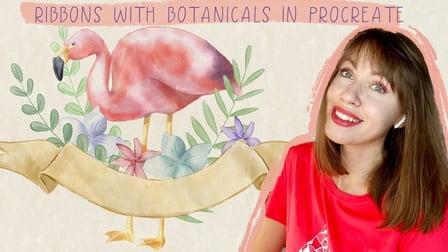
Let’s paint all together cool illustrations of ribbons with florals in watercolor style. You can use the illustrations you create for posting in Instagram, add it to your portfolio, or sell it on Etsy, Gumroad and so on. Today I want to show you that watercolor is so simple and it’s a real fun! And in the end of my class you can see it.

Today I will teach you:

  • How to create a texture paper (mad we have a new one),
  • how to locate floral elements on the canvas in a beautiful way,
  • How to paint picture from the sketch (you can draw your own sketch or use mine),
  • How to use my and default Procreate brushes for watercolor painting,
  • What is the process of creating floral compositions,
  • I will explain what is clipping mask and selection tool,
  • I will also show you different techniques of adding shades and highlights.

I will show you my whole process from the start till finish.
And as a bonus I will share with you my new textured paper, custom brush, color pallet, sketches that I created. I will also add files of my pictures that i drew. Feel free to use them for your own art projects.
This class is great for beginners, also can be useful for intermediate level and for experienced artist - probably here you can find an inspiration and new ways how to paint ribbons with florals in watercolor.

Go to Class
MOOC List is learner-supported. When you buy through links on our site, we may earn an affiliate commission.

Related Courses

Simply Journaling (Skillshare) Skillshare
Skillshare

Simply Journaling (Skillshare)

In this class, you will discover how easy it is to keep a regular, plain old journal. If you've felt the call to keep a journal, but didn't feel like you could commit to a daily journaling habit, don't have the best penmanship, or have nothing to write about, then this class is for you. I'll show the three ways journal, and I'll let you off the hook for spelling, grammar, and being a jerk. I hope you find this class helpful. Happy Journaling to You All!

Self Paced
Self-Paced
Digital Illustration: Learn to Use Procreate  (Skillshare) Skillshare
Skillshare

Digital Illustration: Learn to Use Procreate (Skillshare)

Love digital illustration? Learn how to use Procreate, the award-winning painting app, for your best work yet! Become a Procreate master and learn a whole new approach to illustration in this fun, accessible class. Taught by illustrator Jarom Vogel, you'll learn how to use Procreate on your iPad to create digital artwork like never before. Whether you're new to digital art or are a seasoned illustrator, you'll unlock a whole new way to make your ideas a reality.

Self Paced
Self-Paced
The Watercolor Painting Series - Semi-Realistic Complementary Donuts (Skillshare) Skillshare
Skillshare

The Watercolor Painting Series - Semi-Realistic Complementary Donuts (Skillshare)

Welcome to "The Watercolor Painting Series"! These series are designed the way that each class can stand alone and is complete on its own, but if you are here for the first time, this is the fourth episode. Each class has three ingredients: Art theory, Color theory and a Trending Topic. In this class we will learn about painting light and shadow, the complementary color scheme and the composition of final paintings. We are going to create semi-realistic donuts.

Self Paced
Self-Paced
How to design a logo with golden Ratio (Skillshare) Skillshare
Skillshare

How to design a logo with golden Ratio (Skillshare)

How to design a logo with golden Ratio. Many designers search for a good tutorial about golden ratio and how to use it in logo design, I was searching for this before and I found a hard time to find some good resources but there is never the good explained video. So today, I tried my best to explain how to use the golden ratio in logo design and how to make a logo using golden circles.

Self Paced
Self-Paced
The Quick Start Guide to Procreate (Skillshare) Skillshare
Skillshare

The Quick Start Guide to Procreate (Skillshare)

Tired of unboxing a program and having to spend 3 weeks to figure out how to use the thing……we were too. People learn faster when they have a project, and so we developed the quick start guide to Procreate, so whether you are brand new to digital art, or just trying to figure out where the transformation tool is in this program…we have created a course that gets you up and creating through creating 2 projects .

Self Paced
Self-Paced
The Hero’s Journey With Kenya Barris (Skillshare) Skillshare
Skillshare

The Hero’s Journey With Kenya Barris (Skillshare)

In our latest learning experiment, discover new talents with Kenya Barris, as he learns digital illustration while making a movie poster with Nikkolas Smith. Kenya Barris is a talented director, writer, actor, and producer, but he’s ready to try new things and discover hidden talents. In this one-on-one session with artist and illustrator Nicholas Smith, Kenya learns the basics of digital illustration and character design to create a superhero movie poster based on Kenya’s own inner strength and superpowers.

Self Paced
Self-Paced
Procreate Picasso - Paint a Picasso inspired Self Portrait using Procreate (Skillshare) Skillshare
Skillshare

Procreate Picasso - Paint a Picasso inspired Self Portrait using Procreate (Skillshare)

Using Procreate to create Picasso inspired artwork is a wonderful way to augment and expand your traditional art practice if you are already a painter - with Procreate you can easily develop exploratory sketches and compositions that will help develop your skill with regards to composition and color without wasting precious materials.

self Paced
Self-Paced
Photoshop Fundamentals in One Hour (Skillshare) Skillshare
Skillshare

Photoshop Fundamentals in One Hour (Skillshare)

If you’ve ever wanted to try digital painting, but you’re intimidated by photoshop, this course is for you! We’ll go through all of the software’s core functions and tools in a series of easy-to-follow lessons that will have you up and running in no time. These lessons are the building blocks that you will carry forward to the incredibly cool digital painting courses that we offer. So enroll today and let's get you on board with Photoshop!

Self Paced
Self-Paced
Merchandise an Online Shop: Create Your Own Product Lookbook  (Skillshare) Skillshare
Skillshare

Merchandise an Online Shop: Create Your Own Product Lookbook (Skillshare)

In this 14-minute class, you'll learn how to create a lookbook with Kate Miss, an independent jewelry and graphic designer who works with artists all around the world to create successful Big Cartel shops. A lookbook is an artistic depiction of your product in a particular setting beyond straight-on simple product photos. In a digital world, it helps achieve the feel of physical presence, staging, design, and planning that traditional retailers put into a brick-and-mortar store.

Self Paced
Self-Paced
Getting Started with Canva for Beginners : CANVA BASICS #1 (Skillshare) Skillshare
Skillshare

Getting Started with Canva for Beginners : CANVA BASICS #1 (Skillshare)

Today, being online often means having beautiful, well designed images, be it graphics, photographs, or both. However, not everyone has the budget to hire a graphic designer to create weekly content for them. That’s where Canva comes in. Canva is a free online design tool that anyone can use to create beautiful graphics that can be used online, be it on social media, their websites, in the emails, etc.

Self Paced
Self-Paced