The Quick Start Guide to Procreate (Skillshare)

Offered by Skillshare,
The Quick Start Guide to Procreate (Skillshare)

Tired of unboxing a program and having to spend 3 weeks to figure out how to use the thing……we were too. People learn faster when they have a project, and so we developed the quick start guide to Procreate, so whether you are brand new to digital art, or just trying to figure out where the transformation tool is in this program…we have created a course that gets you up and creating through creating 2 projects .

Following this course you will be able to

  • Import and export in Procreate
  • Apply the principles to generate 2 pieces of portfolio art
  • Open adjust and select various layers
  • Generate non-destructive workflows
  • Create your own custom brushes
  • Learn to work between the ipad and PC if you are a PC user
  • Transform your art work to match your desired style
  • Identify and utilize 3 different sources of colors to improve your art right off the bat

Project based application is the key to quicker learning because

  • The projects force application for stronger recall
  • You spend more time working instead of searching for endless youtube tutorials all over everywhere

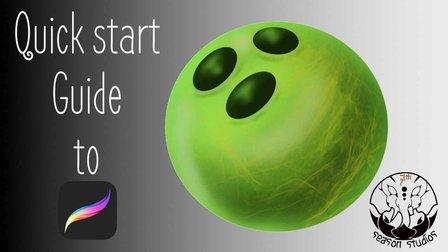
Utilizing the techniques in the course create a bowling ball similar to the one below....it doesn't have to be exact...just something in the same area....remember, utilization of education is the key to actual learning

Go to Class
MOOC List is learner-supported. When you buy through links on our site, we may earn an affiliate commission.
Related Courses

Adobe Illustrator: Make Paths Fast & Easy (Skillshare) Skillshare
Skillshare

Adobe Illustrator: Make Paths Fast & Easy (Skillshare)

Live Corners is hands down the BEST feature to come from Adobe Illustrator CC. What might seem like a simple little perk at first quickly becomes an incredibly versatile, time-saving tool when you dig deeper. Join in me in this free class where I walk through the many uses that can come from Live Corners and show you how they can be applied just about anywhere :)

Self Paced
Self-Paced
People and flowers in watercolor style in Procreate - digital tutorial for beginners + free brushes (Skillshare) Skillshare
Skillshare

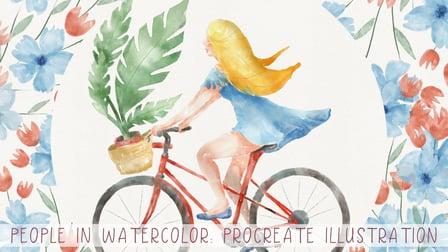
People and flowers in watercolor style in Procreate - digital tutorial for beginners + free brushes (Skillshare)

Let’s paint all together cool illustrations of girl on a bicycle in watercolor style. You can use the illustrations you create for posting in Instagram, add it to your portfolio and so on. Or just share it with someone whom you really like. I am sure they will be so happy to get an illustration that is created by you. Today I want to show you that watercolor is so simple and it’s a real fun!

Self Paced
Self-Paced
Design A Rocket Logo! Practice Your Logo Design Skills (Skillshare) Skillshare
Skillshare

Design A Rocket Logo! Practice Your Logo Design Skills (Skillshare)

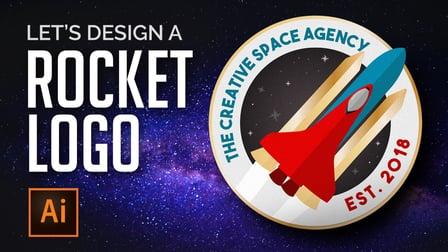
Do you want to learn how to create a logo that is out of this world? In this class we will put together a logo in Adobe Illustrator that will help you practice and develop and fine tune your vector skills. We will practice using the shape builder tool to make complicated shapes very easy to create. We will use flat design and learn how to add dimension highlights to our logo with ease.

Self Paced
Self-Paced
Getting Started with Canva for Beginners : CANVA BASICS #1 (Skillshare) Skillshare
Skillshare

Getting Started with Canva for Beginners : CANVA BASICS #1 (Skillshare)

Today, being online often means having beautiful, well designed images, be it graphics, photographs, or both. However, not everyone has the budget to hire a graphic designer to create weekly content for them. That’s where Canva comes in. Canva is a free online design tool that anyone can use to create beautiful graphics that can be used online, be it on social media, their websites, in the emails, etc.

Self Paced
Self-Paced
How to draw watercolor recipe in Procreate - digital illustration + free brush (Skillshare) Skillshare
Skillshare

How to draw watercolor recipe in Procreate - digital illustration + free brush (Skillshare)

Today I will teach you: how to draw recipe in watercolor style, where we will combine actually watercolor and pencil together; how to locate receipt elements on the canvas in a beautiful way; how to create texture paper; How to add decorations; where to get reference pictures that you can use for commercial and personal purposes.

Self Paced
Self-Paced
How to create watercolor digital sticker pack in Procreate + free brush (Skillshare) Skillshare
Skillshare

How to create watercolor digital sticker pack in Procreate + free brush (Skillshare)

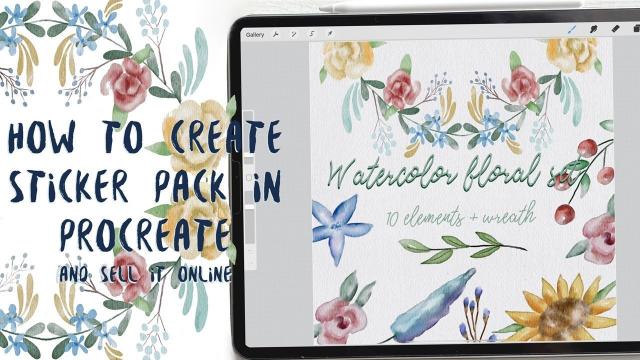
Today I will teach you: how to create your own digital sticker pack that you can sell on different art platforms; how to save watercolor picture with transparent background (how to separate your painting form textured background); How to create cover picture for your sticker set and how to locate different elements on the canvas in a beautiful way; how to paint flowers in watercolor style; how to create texture paper; How to be ready for selling your own pictures.

Self Paced
Self-Paced
Designing Repeat Patterns: From Icons to Apparel and Beyond  (Skillshare) Skillshare
Skillshare

Designing Repeat Patterns: From Icons to Apparel and Beyond (Skillshare)

It's all about idioms and icons in this 30-minute class on designing a repeat pattern using symbols and icons! Kimi Lewis, artist and product designer at the Noun Project, will walk you through her process of creating a pattern in full repeat — one that you can apply to clothing, bags, accessories, wallpaper, or practically anywhere you’d like.

Self Paced
Self-Paced
Merchandise an Online Shop: Create Your Own Product Lookbook  (Skillshare) Skillshare
Skillshare

Merchandise an Online Shop: Create Your Own Product Lookbook (Skillshare)

In this 14-minute class, you'll learn how to create a lookbook with Kate Miss, an independent jewelry and graphic designer who works with artists all around the world to create successful Big Cartel shops. A lookbook is an artistic depiction of your product in a particular setting beyond straight-on simple product photos. In a digital world, it helps achieve the feel of physical presence, staging, design, and planning that traditional retailers put into a brick-and-mortar store.

Self Paced
Self-Paced