FUN

Anima Podi : À la recherche du rebond parfait (FUN)

Anima Podi : À la recherche du rebond parfait (FUN)

Animer c’est commencer par apprendre à voir les images et surtout percevoir comment les images en mouvement ont le pouvoir de donner du sens. Avec une simple balle nous allons vous initier aux principes fondamentaux de l’animation.

Tous les professionnels le disent : il est indispensable de savoir animer une balle et de maîtriser son rebond. Expérimentez simplement, avec Gobelins et notre partenaire Mercenaries Engineering, le créateur d’un logiciel d’animation innovant RUMBA, les secrets de l’animation.

Vous êtes passionnés par les images animées, vous avez un projet professionnel ou vous avez envie de découvrir ce domaine mais vous ne savez pas comment vous y prendre ? Rejoignez-nous à la recherche du rebond parfait.

OBJECTIFS PÉDAGOGIQUES
Au cours des cinq semaines du cours, vous allez successivement :

  • Apprendre à regarder et lire une image animée
  • Découvrir comment l'image s'est progressivement animée
  • Reconnaître les différentes pratiques de l’image animée : vidéo, cinéma, multimédia, arts graphiques
  • Comprendre et maîtriser un mouvement d'un objet ou d'un corps dans l'espace
  • Utiliser un logiciel d'animation 3D grâce aux petits exercices de mise en pratique
  • Identifier les processus et les exigences de la création de l'image animée
  • Acquérir les bonnes pratiques et méthodes grâce à des mises en situations ludiques sur les 12 principes d'animation.

PLAN DU COURS

Le MOOC est basé sur une pédagogie par projets. Il alterne parties théoriques et applications pratiques.
Calendrier et progression pédagogique :

  • Introduction | Pédagogie des cours et introduction à l’Animation (du 11 au 14 avril)
  • Premier temps | Styles et principes d’animation (du 15 au 21 avril).
  • Second temps | 1er et 2ème principes : Timing & Spacing (du 22 au 28 avril).
  • Troisième temps | 3ème et 4ème principes : Arcs & Stretch and Squash (du 29 avril au 5 mai)
  • Quatrième temps | 5ème et 6ème principes : Poids et Rythme (du 6 au 12 mai)
  • Cinquième temps | Exercice final des “Balles parcours” (du 13 au 19 mai)
  • Conclusion du Mooc (du 20 au 24 mai).

Go to Class
MOOC List is learner-supported. When you buy through links on our site, we may earn an affiliate commission.

Related Courses

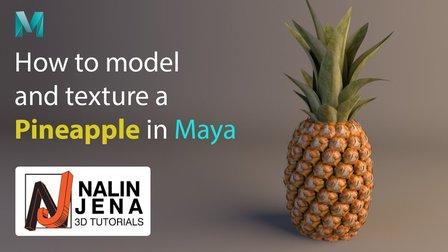
Modeling, Texturing and Lighting a Pineapple in Maya (Skillshare) Skillshare
Skillshare

Modeling, Texturing and Lighting a Pineapple in Maya (Skillshare)

Have you ever model a 3d Pineapple. If yes, Was your model looking unrealistic? If yes, then watch this class. Modeling, Texturing & Lighting a Pineapple in Maya, this class has lot of information which will help you model complex shapes in Maya. If you are a beginner Maya student then you should watch this class till end to learn valuable Technics in Maya, which you can use in your daily life or in professional life.

Self Paced
Self-Paced
Filmmaking and Animation in the Classroom (FutureLearn) FutureLearn
INTO FILM

Filmmaking and Animation in the Classroom (FutureLearn)

Learn how to use simple filmmaking and animation to bring learning to life, and aid cross-curricular attainment and assessment. This free online course will help anyone working with young people aged 5-19 to engage them in learning through simple filmmaking and animation. You’ll discover how film and animation can be used as powerful tools for encouraging active learning and enabling pupils to establish strong connections with any area of the curriculum.

Jan 31st 2022
3 Weeks
Programming in Scratch (edX) EdX
Harvey Mudd College,HarveyMuddX

Programming in Scratch (edX)

See how easy learning computer science can be. Use Scratch to create games, animations, stories and more. Want to learn computer programming, but unsure where to begin? This is the course for you! Scratch is the computer programming language that makes it easy and fun to create interactive stories, games and animations and share them online.

No sessions available
5-12 Weeks
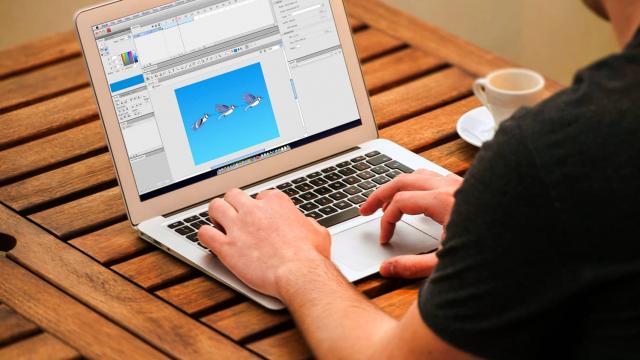
Learn Adobe Flash From Scratch For Beginners (Eduonix) Eduonix
Eduonix Learning Solutions Pvt. Ltd.

Learn Adobe Flash From Scratch For Beginners (Eduonix)

Make more interactive and animated websites by learning Adobe Flash. Master Flash in this adobe flash online tutorial. Adobe Flash is a powerful platform for creating vector graphics, animations, games and rich internet applications. It powers millions of web apps across the world and is still very popular among developers. Our course will help you master this amazing technology in quick and easy steps.

Self Paced
Self-Paced
Animation and CGI Motion (edX) EdX
Columbia University,ColumbiaX

Animation and CGI Motion (edX)

Learn the science behind movie animation from the Director of Columbia’s Computer Graphics Group. How do you create realistic animations? How do you predict the motion of materials? It’s key to the success of animated films to ensure (was insure) audiences believe in characters. This course will show you how to create lifelike animations focusing on the technical aspects of CGI animation and also give you a glimpse into how studios approach the art of physically-based animation.

No sessions available
5-12 Weeks
Explore Animation (FutureLearn) FutureLearn
National Film and Television School - NFTS

Explore Animation (FutureLearn)

Learn animation techniques such as stop motion, 2D, CGI and pixilation, in this NFTS course with award-winning animators. Become an expert animator and master different animation techniques Whether you’re a budding animator or animation fan, this 4-week online course from the internationally acclaimed National Film and Television School (NFTS) will have something for you. Our team of award-winning animators will take you through their approach to telling stories and demystify their own animation technique.

No sessions available
4 Weeks
HTML5 Canvas (Udacity) Udacity
Udacity

HTML5 Canvas (Udacity)

From Pixels to Animation! Canvas is an HTML5 element which gives you drawable surface inside your web pages you can control with JavaScript. Powerful enough to use for compositing images and even creating games. In this course, through several sample projects, you’ll learn how to use the canvas; how to make compositions using shapes, images, and text; how to create effects and filters on images and how to create animations.

Self Paced
Self-Paced