Analysing WhatsApp Chat Data (Coursera)

Analysing WhatsApp Chat Data (Coursera)

In this Project, we discuss how to analyse the data available from WhatsApp. We will use R Programming to analyse the data. Data from WhatsApp can be exported from the phone one is using. This technique can be gathered from many sources including YouTube. Due to limitations of this platform I will not discuss this. I will assume that the Learner is able to export data from WhatsApp and make it ready for analysis.

Class Deals by MOOC List - Click here and see Coursera's Active Discounts, Deals, and Promo Codes.

I will use RStudio on the Cloud for demonstrating the steps for the analysis. Here again, there are limitations. However, we will discuss as much amount of code as possible. Learners can extrapolate and extend the discussed for further use.
Numerous analysis is possible on the data available from WhatsApp. We will discuss a few only. However, after going through this project, it should be possible for the Learner to conduct many more analysis on his/her own.
Further, the discussed code could be reused to create Data Products which could be published on the web using platforms like Shiny.io.

In this Guided Project, you will:

  • How to export data from WhatsApp
  • How to upload WhatsApp Chat Data for analysis
  • How to visualise WhatsApp Chat Data

Learn step-by-step

  • Word Analysis
  • Create a Shiny Application
  • Read WhatsApp Chat Data
  • Visualisation 1 - Messages per Day
  • Visualisation 2 - Messages per Weekday
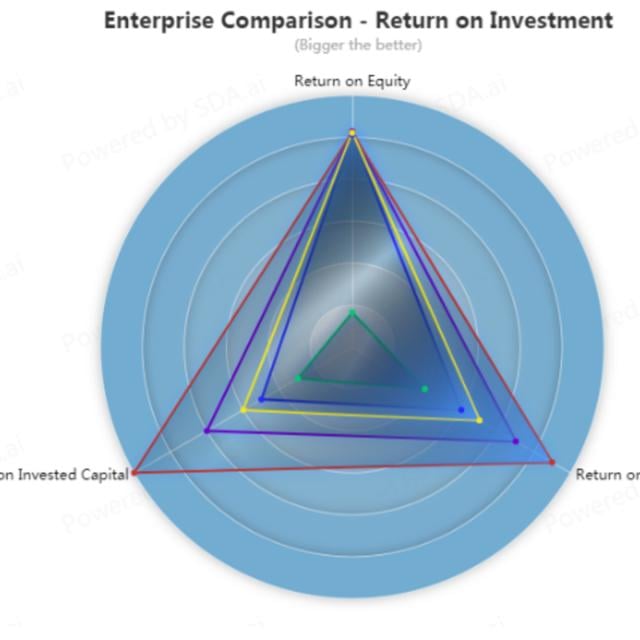
  • Creating a Radar Chart
  • Visualisation 4 - Messages per hour
  • Visualisation 5 - Messages per Author
  • Emoji Analysis
Go to Class
MOOC List is learner-supported. When you buy through links on our site, we may earn an affiliate commission.

Related Courses

Graph Analytics for Big Data (Coursera) Coursera
University of California, San Diego

Graph Analytics for Big Data (Coursera)

Want to understand your data network structure and how it changes under different conditions? Curious to know how to identify closely interacting clusters within a graph? Have you heard of the fast-growing area of graph analytics and want to learn more? This course gives you a broad overview of the field of graph analytics so you can learn new ways to model, store, retrieve and analyze graph-structured data.

Jun 8th 2026
5-12 Weeks
Inferential Statistics (Coursera) Coursera
University of Amsterdam

Inferential Statistics (Coursera)

Inferential statistics are concerned with making inferences based on relations found in the sample, to relations in the population. Inferential statistics help us decide, for example, whether the differences between groups that we see in our data are strong enough to provide support for our hypothesis that group differences exist in general, in the entire population. We will start by considering the basic principles of significance testing: the sampling and test statistic distribution, p-value, significance level, power and type I and type II errors. Then we will consider a large number of statistical tests and techniques that help us make inferences for different types of data and different types of research designs.

Jun 8th 2026
5-12 Weeks
Predictive Modeling and Analytics (Coursera) Coursera
University of Colorado Boulder

Predictive Modeling and Analytics (Coursera)

Welcome to the second course in the Data Analytics for Business specialization! This course will introduce you to some of the most widely used predictive modeling techniques and their core principles. By taking this course, you will form a solid foundation of predictive analytics, which refers to tools and techniques for building statistical or machine learning models to make predictions based on data. You will learn how to carry out exploratory data analysis to gain insights and prepare data for predictive modeling, an essential skill valued in the business.

Jun 8th 2026
4 Weeks
Fundamentals of GIS (Coursera) Coursera
University of California, Davis

Fundamentals of GIS (Coursera)

Explore the world of spatial analysis and cartography with geographic information systems (GIS). What you will learn: define core geospatial concepts; practice with subset data using selections and feature attributes; create map books using advanced mapping techniques; create layer and map packages.

Jun 8th 2026
4 Weeks
Marketing Analytics (Coursera) Coursera
University of Virginia

Marketing Analytics (Coursera)

Organizations large and small are inundated with data about consumer choices. But that wealth of information does not always translate into better decisions. Knowing how to interpret data is the challenge -- and marketers in particular are increasingly expected to use analytics to inform and justify their decisions. Marketing analytics enables marketers to measure, manage and analyze marketing performance to maximize its effectiveness and optimize return on investment (ROI). Beyond the obvious sales and lead generation applications, marketing analytics can offer profound insights into customer preferences and trends, which can be further utilized for future marketing and business decisions.

Jun 8th 2026
5-12 Weeks
Introduction to Data Science in Python (Coursera) Coursera
University of Michigan

Introduction to Data Science in Python (Coursera)

This course will introduce the learner to the basics of the python programming environment, including fundamental python programming techniques such as lambdas, reading and manipulating csv files, and the numpy library. The course will introduce data manipulation and cleaning techniques using the popular python pandas data science library and introduce the abstraction of the Series and DataFrame as the central data structures for data analysis, along with tutorials on how to use functions such as groupby, merge, and pivot tables effectively. By the end of this course, students will be able to take tabular data, clean it, manipulate it, and run basic inferential statistical analyses.

Jun 8th 2026
4 Weeks
Introduction to Probability and Data with R (Coursera) Coursera
Duke University

Introduction to Probability and Data with R (Coursera)

This course introduces you to sampling and exploring data, as well as basic probability theory and Bayes' rule. You will examine various types of sampling methods, and discuss how such methods can impact the scope of inference. A variety of exploratory data analysis techniques will be covered, including numeric summary statistics and basic data visualization.

Jun 8th 2026
5-12 Weeks
Business Intelligence Concepts, Tools, and Applications (Coursera) Coursera
University of Colorado System

Business Intelligence Concepts, Tools, and Applications (Coursera)

This is the fourth course in the Data Warehouse for Business Intelligence specialization. Ideally, the courses should be taken in sequence. In this course, you will gain the knowledge and skills for using data warehouses for business intelligence purposes and for working as a business intelligence developer. You’ll have the opportunity to work with large data sets in a data warehouse environment and will learn the use of MicroStrategy's Online Analytical Processing (OLAP) and Visualization capabilities to create visualizations and dashboards.

Jun 8th 2026
5-12 Weeks
Leadership Through Marketing (Coursera) Coursera
Northwestern University

Leadership Through Marketing (Coursera)

The success of every organization depends on attracting and retaining customers. Although the marketing concepts for doing so are well established, digital technology has empowered customers, while producing massive amounts of data, revolutionizing the processes through which organizations attract and retain customers. In this course, students will learn how to identify new opportunities to create value for empowered consumers, develop strategies that yield an advantage over rivals, and develop the data science skills to lead more effectively, allocate resources, and to confront this very challenging environment with confidence.

Jun 14th 2026
4 Weeks
Linear Regression and Modeling (Coursera) Coursera
Duke University

Linear Regression and Modeling (Coursera)

This course introduces simple and multiple linear regression models. These models allow you to assess the relationship between variables in a data set and a continuous response variable. Is there a relationship between the physical attractiveness of a professor and their student evaluation scores? Can we predict the test score for a child based on certain characteristics of his or her mother? In this course, you will learn the fundamental theory behind linear regression and, through data examples, learn to fit, examine, and utilize regression models to examine relationships between multiple variables, using the free statistical software R and RStudio.

Jun 8th 2026
4 Weeks