The 1-Hour Canva Quick Start Challenge (Skillshare)

Offered by Skillshare,
The 1-Hour Canva Quick Start Challenge (Skillshare)

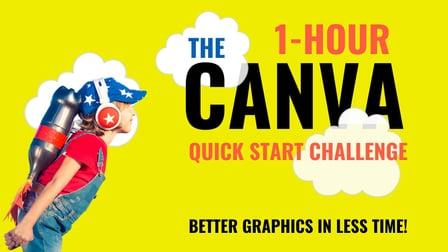
No one enjoys the frustration that comes with learning something new. Why Won't This Work! I'm going to throw my computer out the window! Hey, I get it. We've all been there. There's nothing more frustrating in today's busy modern world then feeling stuck. That's why I'm here to help with this 1-hour Canva Quick Start Challenge!

My name is Greg and I am a Canva Certified Creative who has been working with design software for over 2 decades (multiple years w/Canva). Give me 1 hour and I will give you the confidence and the know-how you need to work efficiently in Canva. Even though I believe Canva has a really smart streamlined user interface, there are still things that can trip you up and I'm here to make sure they don't!
Becoming proficient and starting to excel in any software requires at least a little time commitment. I'm here to put you on the fast track to success in Canva in just 1 hour.

We'll cover:

  • The User and Project Interface
  • tips and tricks for resizing images and elements
  • how to select, group, and position elements
  • how to precisely position text elements in relation to each other and the page
  • the real power of grids (which everyone usually misses)
  • some of the best keyboard shortcuts for saving time
  • additional tools/resources that will help you on your journey
  • and more!

And this course is FREE! You have no excuse. The time you can save by watching this course will greatly exceed the ~1 hour it will take to watch all the lessons. So, let's learn Canva together.
I look forward to helping you on your journey.
For your class project, I'd love for you to post a graphic that you created with Canva. It can be anything at all, just a graphic you're proud of that represents where you currently are on your journey with Canva. It's not about comparing your image against others, just celebrating you and your journey!
Upload your image to the Class Project area and tell us your favorite new Canva trick you learned from the course (or one of your own).
I look forward to seeing your work.
Go to Class
MOOC List is learner-supported. When you buy through links on our site, we may earn an affiliate commission.

Related Courses

Watercolor cactuses in Procreate - digital illustration (Skillshare) Skillshare
Skillshare

Watercolor cactuses in Procreate - digital illustration (Skillshare)

Today I will teach you: how to draw cactuses in new watercolor style, where we will combine actually watercolor and pencil together; how to locate those lovely cactuses on the canvas in a beautiful way; how to create texture paper; How to create patterns; where to get reference pictures that you can use for commercial and personal purposes.

Self Paced
Self-Paced
The Hero’s Journey With Kenya Barris (Skillshare) Skillshare
Skillshare

The Hero’s Journey With Kenya Barris (Skillshare)

In our latest learning experiment, discover new talents with Kenya Barris, as he learns digital illustration while making a movie poster with Nikkolas Smith. Kenya Barris is a talented director, writer, actor, and producer, but he’s ready to try new things and discover hidden talents. In this one-on-one session with artist and illustrator Nicholas Smith, Kenya learns the basics of digital illustration and character design to create a superhero movie poster based on Kenya’s own inner strength and superpowers.

Self Paced
Self-Paced
How to paint food in Japanese watercolor style and create digital sticker pack in Procreate (Skillshare) Skillshare
Skillshare

How to paint food in Japanese watercolor style and create digital sticker pack in Procreate (Skillshare)

Today I will teach you, how to draw food in Japanese watercolor style, where we will combine actually watercolor and ink together. I will teach you: how to create texture paper; how to create those watercolor look that we might see in different anime; and finally how to create sticker pack of Japanese food with transparent background; And how to separate textured background from our actual painting.

Self Paced
Self-Paced
People and flowers in watercolor style in Procreate - digital tutorial for beginners + free brushes (Skillshare) Skillshare
Skillshare

People and flowers in watercolor style in Procreate - digital tutorial for beginners + free brushes (Skillshare)

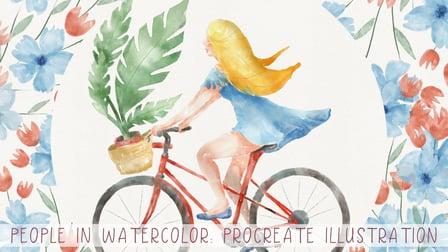
Let’s paint all together cool illustrations of girl on a bicycle in watercolor style. You can use the illustrations you create for posting in Instagram, add it to your portfolio and so on. Or just share it with someone whom you really like. I am sure they will be so happy to get an illustration that is created by you. Today I want to show you that watercolor is so simple and it’s a real fun!

Self Paced
Self-Paced
Build an Online Shop: Design and Launch Your Own Big Cartel Store (Skillshare) Skillshare
Skillshare

Build an Online Shop: Design and Launch Your Own Big Cartel Store (Skillshare)

Big Cartel helps artists, makers, and other creatives sell their work online. In this 40-minute class, you’ll learn how to set up and customize your own online shop with Kate Miss, an independent jewelry and graphic designer who works with artists all around the world to create successful Big Cartel shops.

Self Paced
Self-Paced
Adobe Illustrator: Make Paths Fast & Easy (Skillshare) Skillshare
Skillshare

Adobe Illustrator: Make Paths Fast & Easy (Skillshare)

Live Corners is hands down the BEST feature to come from Adobe Illustrator CC. What might seem like a simple little perk at first quickly becomes an incredibly versatile, time-saving tool when you dig deeper. Join in me in this free class where I walk through the many uses that can come from Live Corners and show you how they can be applied just about anywhere :)

Self Paced
Self-Paced
How To Draw Impossible Shapes (Optical Illusions) - Simple Drawing Projects for Beginners (Skillshare) Skillshare
Skillshare

How To Draw Impossible Shapes (Optical Illusions) - Simple Drawing Projects for Beginners (Skillshare)

In this class, you learn how to draw a variety of 3D optical illusions called "impossible shapes." These are not called "impossible shapes" because they are impossible to draw. Rather, it is because these shapes can not actually exist in real life. By practicing these drawings, you'll learn basic drawing skills like how to create 3 dimensional forms and how to shade them. There are fun drawings that will help hone your art skills and wow your friends with cool optical illusions!

Self Paced
Self-Paced