Intro to Siemens NX: Engineering Essentials and Part Design (Coursera)

Offered by Siemens,
Intro to Siemens NX: Engineering Essentials and Part Design (Coursera)

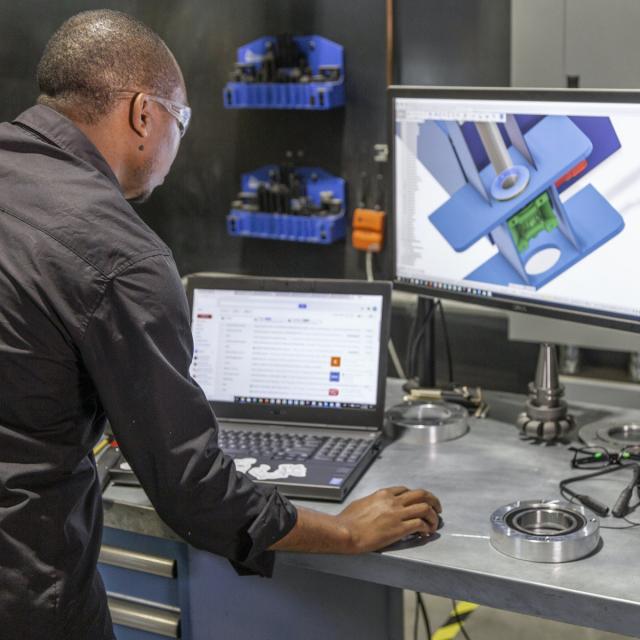
Welcome to Intro to Siemens NX: Engineering Essentials and Part Design!! This course will provide you with the essential skills needed to excel in computer-aided design (CAD), computer-aided manufacturing (CAM), and computer-aided engineering (CAE) using Siemens NX software. Be prepared to dive into the versatile capabilities of NX as it empowers engineers and designers to efficiently create, simulate, and manufacture products.

Class Deals by MOOC List - Click here and see Coursera's Active Discounts, Deals, and Promo Codes.

By utilizing parametric, direct, and freeform modeling techniques, coupled with advanced simulation and CAM functionalities, NX offers flexibility and power in the product development lifecycle. From conceptual design to final production, NX streamlines the entire process, ensuring seamless transition from design to manufacturing.
This introductory course is designed to enhance your understanding of the NX interface, its key features, and how to proficiently use its basic commands. Prior experience is not required, making this course accessible to both beginners and seasoned professionals looking to enhance their skills with Siemens NX.

What you'll learn

  • Create a drawing from a part model, including adding views, dimensioning the part drawings, and modifying drawing attributes.
  • Analyze and compare the techniques of assembly modeling as well as free-form modeling techniques
  • Synthesize skills practiced throughout the guided practice to apply designs to real-world scenarios and tasks.
  • Evaluate the physical properties of 3D designs, such as mass properties, utilizing the simulation capabilities of NX.

Syllabus

NX Essentials
Welcome to Intro to Siemens NX: Engineering Essentials and Part Design!! By enrolling in this course, you are embarking on a journey that will bolster your skills with NX software and equip you with the foundational knowledge necessary for further exploration. Week 1 of the course, will begin with an introduction, providing you with an overview and the layout of the course. After which, you will delve into the basic operations of the NX software. The content in week 1 focuses on the essential skills needed to work with NX. You will learn how to start an NX session, explore the software layout, and test out the fundamental functions. By the end of this module, you should be able to 1. Initiate a NX session 2. Navigate the NX interface 3. Execute basic commands and operations.

An Introduction to Sketching
Welcome to Week 4! This week you will explore the essential concept of sketching. First, you will explore the process of creating geometric sketches. These sketches are similar to the exercises in the first week, but with an added layer of complexity - applying dimensional constraints. You will be guided through these concepts with clear, step-by-step written and video instructions, helping you understand not just the 'how', but also the 'why'. The focus will be on using the basic NX commands effectively to create and manipulate these sketches. By the end of this module, you should be adept at 1. Initiating and executing essential sketching commands in NX. 2. Understand the best practices for applying essential sketching commands in NX.

The Basics of Part Designing and 3D Modeling Techniques with NX
Welcome to Week 3! In this week's module, you'll begin to explore 3D modeling. Initially, you'll dive into navigating the 3D modeling environment in NX, a fundamental skill laying the groundwork for your upcoming design endeavors. Building upon the 2D sketches crafted in Week 2, you'll learn the essential principles of transforming these sketches into 3D models. Firstly, we'll introduce you to the process of using swept features in NX, a crucial technique for crafting intricate designs. Then, we'll explore remove features such as holes, slots, and grooves, elevating the depth and detail of our 3D models. As we progress through the module, you'll delve into feature operations, including edge blending, chamfering, and threading, adding sophistication to your 3D designs and preparing you for professional-level tasks. We'll expand your knowledge with advanced techniques like Trim Body, Split Body, and Mirror, enabling more complex manipulation of your 3D models. Taking another step forward, we'll explore pattern construction and execute Boolean operations, enhancing your ability to create intricate and detailed 3D models, thus advancing your design skills. By the end of this module, you should be able to 1. Be proficient in navigating the 3D modeling environment in NX 2. Create detailed 3D models from 2D sketches.

Examples, Synchronous Part Designing, and Modeling with NX
Welcome to Week 4! This week guides you through some complex examples. As always, we believe in the power of practical application. You will be tasked with creating a hexagonal nut, an L-bar, a Rocker Arm, and a Die-Cavity, and learning synchronous modeling techniques. These exercises are designed to give you a hands-on experience of the capabilities of NX and to help you understand how these techniques are applied in a real-world context. Finally, you will review how NX is used by a company in the real world as you review a case study. By the end of this module, you should be able to: 1. Use advanced modeling techniques in NX.


Go to Class
MOOC List is learner-supported. When you buy through links on our site, we may earn an affiliate commission.

Related Courses

3-Axis Machining with Autodesk Fusion 360 (Coursera) Coursera
Autodesk

3-Axis Machining with Autodesk Fusion 360 (Coursera)

As our machining geometry gets more complicated, Autodesk® Fusion 360™ is up to the task! With a host of standard and adaptive toolpaths we can rapidly remove material from even the most complicated 3d parts. In this course, we explore how to rough and finish geometry that requires tool motion in X, Y, and Z simultaneously, learning how to finish even the finest of details. We’ll wrap up this course by creating a full CNC program for a part, simulating it, and exporting it to G-code.

Nov 11th 2024
4 Weeks
Introduction to 3D Modeling (Coursera) Coursera
University of Michigan

Introduction to 3D Modeling (Coursera)

On this four-week practical course from the University of Michigan, you’ll not only learn how to use the Rhino software to create your 3D models, but you’ll also gain basic design skills to help bring your imagination to life. This course will guide you through 3D modeling within Rhino, so you’ll cover the fundamentals of the software as well as 3D modeling in general. You’ll first look at how to navigate the user interface and the different tools that you’ll be using to create models throughout this course. You’ll familiarize yourself with the 3D space and 3D objects before jumping straight in to create your own objects and building blocks.

Aug 10th 2026
4 Weeks
Introduction to Engineering Design (Coursera) Coursera
Starweaver

Introduction to Engineering Design (Coursera)

In today's fast-paced technological environment, understanding the fundamentals of engineering design is crucial for aspiring engineers and professionals alike. This comprehensive course serves as a primer, introducing participants to key concepts and methodologies essential for designing innovative solutions to complex problems. It provides an overview of the engineering design process, emphasizing the integration of creativity and functionality in problem-solving.

Aug 17th 2026
4 Weeks
Using Rapid Prototyping in the Engineering Design Process (Coursera) Coursera
Arizona State University

Using Rapid Prototyping in the Engineering Design Process (Coursera)

Hello, everyone! Welcome to this course on Using Rapid Prototyping in the Engineering Design Process. This is part of the Rapid Prototyping and Tooling specialization. In this course, I’ll cover the engineering design process and how it can be used to solve open-ended problems. I’ll discuss the different stages of prototyping and why it is advantageous to produce prototypes rapidly. I’ll then discuss engineering drawings and how to communicate information about 3-dimensional objects on 2-dimensional mediums such as paper or a computer screen.

Aug 3rd 2026
4 Weeks
Creating Toolpaths for a CNC Lathe (Coursera) Coursera
Autodesk

Creating Toolpaths for a CNC Lathe (Coursera)

CNC machines come in an almost endless array of configurations for various applications. So far, we have only talked about CNC Mills. More specifically vertical milling centers. In this course we turn our attention to the CNC Lathe. We identify the difference in a lathe’s coordinate system, tools, and how to create lathe specific toolpaths.

Nov 11th 2024
4 Weeks
Generative Design for Industrial Applications (Coursera) Coursera
Autodesk

Generative Design for Industrial Applications (Coursera)

The foundation of engineering design is exploration and iteration. Design is rarely a perfectly linear and straightforward process. In this course, we explore a design for a traditional manufacturing method and use generative design to create the perfect iteration of it. From that point, we'll reverse engineer the generative design and recreate it for a traditional manufacturing method and explore the option of fabricating the generative version to weigh the pros and cons of each.

Nov 11th 2024
4 Weeks
VLSI CAD Part I: Logic (Coursera) Coursera
University of Illinois at Urbana-Champaign

VLSI CAD Part I: Logic (Coursera)

A modern VLSI chip has a zillion parts -- logic, control, memory, interconnect, etc. How do we design these complex chips? Answer: CAD software tools. Learn how to build thesA modern VLSI chip is a remarkably complex beast: billions of transistors, millions of logic gates deployed for computation and control, big blocks of memory, embedded blocks of pre-designed functions designed by third parties (called “intellectual property” or IP blocks). How do people manage to design these complicated chips? Answer: a sequence of computer aided design (CAD) tools takes an abstract description of the chip, and refines it step-wise to a final design.

Jul 27th 2026
5-12 Weeks
Introduction to CAD, CAM, and Practical CNC Machining (Coursera) Coursera
Autodesk

Introduction to CAD, CAM, and Practical CNC Machining (Coursera)

This course introduces you to the foundational knowledge in computer-aided design, manufacture, and the practical use of CNC machines. In this course we begin with the basics in Autodesk® Fusion 360™ CAD by learning how to properly sketch and model 3D parts. Before we program any toolpaths, we’ll explore CNC machining basics to ensure we have the ground level foundational knowledge needed to effectively define toolpaths.

Nov 11th 2024
4 Weeks