Digital Lettering : Interlaced Lettering In Photoshop (Skillshare)

Offered by Skillshare,
Digital Lettering : Interlaced Lettering In Photoshop (Skillshare)

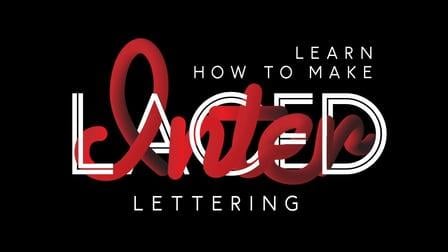
Want to give your lettering and design a new look and touch - go through this class to incorporate such inputs into your design project in a minute or two. Hey guys! I am Shivangi - Graphic designer and Animator based in India here to make you guys go through the step by step guide for making Interlaced Letterings. This Class is about making Interlaced letters - by choosing any font and colors. Create your brand logo - names - quotes with this fun technique to embelish it with cool typo effect using Photoshop and Illustrator.

Class could be beneficial for both Begginers and Advance level as all the steps are explained in detail to help you to cope up with speed whether you are new to the softwares.
Also you guys can check out my rest few classes to excel and upgrade your skill levels. A full fledged step by step guide is here in videos which you can switch to anytime and create your projects fullproof in minutes.
After this class you will be able to create this cool interlace effect on your own. So in Class Project you are supposed to submit a graphic project in which using this cool text effect to your name / brand you admire

Steps

  1. Choose Your Name / Brand name you admire
  2. Create one word of the name in Illustrator
  3. Create the second word in Photoshop
  4. Masking & Final Result in Photoshop
Go to Class
MOOC List is learner-supported. When you buy through links on our site, we may earn an affiliate commission.

Related Courses

Hand Lettering Basics: A Beginner's Guide (Skillshare) Skillshare
Skillshare

Hand Lettering Basics: A Beginner's Guide (Skillshare)

Getting started can be the hardest hurdle in your hand lettering journey. The array of lovely lettering inspiration across resources like Pinterest and Instagram can be daunting. Join me in this beginner hand lettering course as we explore the tools, tips, and basic exercises you will need to build a foundation for your own unique lettering style.

Self Paced
Self-Paced
Demystifying Beauty: Inspiration for Design (Skillshare) Skillshare
Skillshare

Demystifying Beauty: Inspiration for Design (Skillshare)

What do we mean by "beauty"? How can you bring beauty into your own work? Join museum curators Ellen Lupton and Andrea Lipps for a half-hour class exploring beauty! Go inside New York City's Cooper Hewitt, Smithsonian Design Museum. Explore 5 themes through dozens of examples from contemporary art and design. Create a beautiful pattern of your own — a surprising and powerful prompt to engage with your own notions of beauty.

Self Paced
Self-Paced
Design A Book Cover - Graphic Design Basics (Skillshare) Skillshare
Skillshare

Design A Book Cover - Graphic Design Basics (Skillshare)

Have fun designing a book cover! Sharpen your design skills and play with how to arrange and scale visual elements to catch the eye. This class includes three lessons, each lesson includes an overview of a core visual principle and inspiration examples from award winning book covers. Students will have a chance to use each principle themselves in a book cover design.

Self Paced
Self-Paced
Build an Online Shop: Design and Launch Your Own Big Cartel Store (Skillshare) Skillshare
Skillshare

Build an Online Shop: Design and Launch Your Own Big Cartel Store (Skillshare)

Big Cartel helps artists, makers, and other creatives sell their work online. In this 40-minute class, you’ll learn how to set up and customize your own online shop with Kate Miss, an independent jewelry and graphic designer who works with artists all around the world to create successful Big Cartel shops.

Self Paced
Self-Paced
How to design a logo with golden Ratio (Skillshare) Skillshare
Skillshare

How to design a logo with golden Ratio (Skillshare)

How to design a logo with golden Ratio. Many designers search for a good tutorial about golden ratio and how to use it in logo design, I was searching for this before and I found a hard time to find some good resources but there is never the good explained video. So today, I tried my best to explain how to use the golden ratio in logo design and how to make a logo using golden circles.

Self Paced
Self-Paced
Stylized Hand Painting in MAYA for Mobile Devices (beginners) (Skillshare) Skillshare
Skillshare

Stylized Hand Painting in MAYA for Mobile Devices (beginners) (Skillshare)

This is a FREE hand painting training for beginners. You will learn the traditional hand painting techniques for Stylized art. We will texture our asset in 2d. Which software is required? Maya 2019 and adobe photoshop. What you will learn? We are going to cover a lot of topics starting with modeling simple low poly assets, uv mapping or unwraping, texturing, hand painting techniques, ambient occlusion maps and more.

Self Paced
Self-Paced