Packaging Design: Sketching Concepts That Surprise and Delight (Skillshare)

Offered by Skillshare,
Packaging Design: Sketching Concepts That Surprise and Delight  (Skillshare)

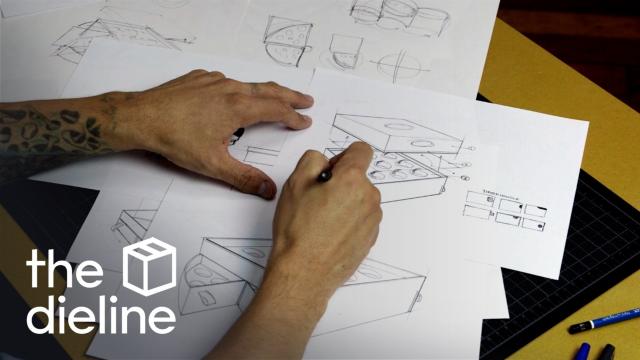
Join Evelio Mattos — editor in chief of beloved packaging design blog The Dieline — for a hands-on, one-hour class that gets to the heart of crafting packaging for real-world products! Creators, makers, and designers of all levels will love learning how to sketch an "unveiling experience" — unlocking the skills to get ideas down on paper and convey form, function, and features in a retail space.

Key lessons cover sketching, concept development, communicating 3-point perspective, and client presentation — all peppered with valuable insights into the print and packaging industries.
All you need to get started is a pencil or pen! By the end, you'll have an inside look at the creative process of an industry pro, and a tangible series of sketches to start bringing your packaging concept to life.
Sketch a packaging design concept for a box of chocolates.
Your assignment is to sketch the structural design for a box of chocolates.
Keep in mind, you do not have to apply branding, logos or visual design to the packaging at this stage – your main focus should be the forms, features, and the overall unveiling process.
Think user experience meets product design. Your packaging concept should surprise and delight the user as they open the box of chocolates, even before they taste them.
Everything starts with sketching. By getting these ideas down on paper in sketch form, you'll be able to convey to a client what the final product will look like and how it functions, as well as illustrate the concept to vendors so you can estimate the cost of materials and production.

Go to Class
MOOC List is learner-supported. When you buy through links on our site, we may earn an affiliate commission.

Related Courses

Adobe Illustrator: Make Paths Fast & Easy (Skillshare) Skillshare
Skillshare

Adobe Illustrator: Make Paths Fast & Easy (Skillshare)

Live Corners is hands down the BEST feature to come from Adobe Illustrator CC. What might seem like a simple little perk at first quickly becomes an incredibly versatile, time-saving tool when you dig deeper. Join in me in this free class where I walk through the many uses that can come from Live Corners and show you how they can be applied just about anywhere :)

Self Paced
Self-Paced
Watercolor cactuses in Procreate - digital illustration (Skillshare) Skillshare
Skillshare

Watercolor cactuses in Procreate - digital illustration (Skillshare)

Today I will teach you: how to draw cactuses in new watercolor style, where we will combine actually watercolor and pencil together; how to locate those lovely cactuses on the canvas in a beautiful way; how to create texture paper; How to create patterns; where to get reference pictures that you can use for commercial and personal purposes.

Self Paced
Self-Paced
How to paint food in Japanese watercolor style and create digital sticker pack in Procreate (Skillshare) Skillshare
Skillshare

How to paint food in Japanese watercolor style and create digital sticker pack in Procreate (Skillshare)

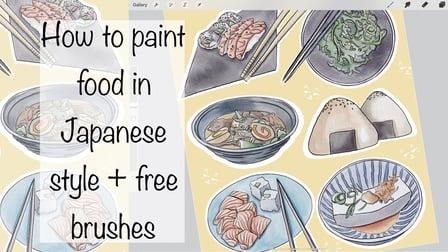
Today I will teach you, how to draw food in Japanese watercolor style, where we will combine actually watercolor and ink together. I will teach you: how to create texture paper; how to create those watercolor look that we might see in different anime; and finally how to create sticker pack of Japanese food with transparent background; And how to separate textured background from our actual painting.

Self Paced
Self-Paced
Materials Deep Dive with Blender (Skillshare) Skillshare
Skillshare

Materials Deep Dive with Blender (Skillshare)

Have you ever wondered how to make your models look more realistic? The key is usually that the model looks unrealistically perfect. Real-life things have wear and tear on them. That's where this class comes in. You're going to take a deep dive into learning how to use procedurally generated materials for rust and wear. By Procedurally, we mean that it's all created within blender without using externally taken photographs.

Self Paced
Self-Paced
Build an Online Shop: Design and Launch Your Own Big Cartel Store (Skillshare) Skillshare
Skillshare

Build an Online Shop: Design and Launch Your Own Big Cartel Store (Skillshare)

Big Cartel helps artists, makers, and other creatives sell their work online. In this 40-minute class, you’ll learn how to set up and customize your own online shop with Kate Miss, an independent jewelry and graphic designer who works with artists all around the world to create successful Big Cartel shops.

Self Paced
Self-Paced
Kickstart your Creativity: Introduction to Mood Boards (Skillshare) Skillshare
Skillshare

Kickstart your Creativity: Introduction to Mood Boards (Skillshare)

The ability to create a compelling mood board is an incredibly useful skill, whether you’re a designer, photographer, dancer or writer. It will kickstart your creative thinking and help you sell your ideas to clients. Join creative director, Nancy Herrmann in this self-paced class as she guides you through her step-by-step process for transforming random ideas into a professional quality presentation.

Self Paced
Self-Paced
How to create watercolor digital sticker pack in Procreate + free brush (Skillshare) Skillshare
Skillshare

How to create watercolor digital sticker pack in Procreate + free brush (Skillshare)

Today I will teach you: how to create your own digital sticker pack that you can sell on different art platforms; how to save watercolor picture with transparent background (how to separate your painting form textured background); How to create cover picture for your sticker set and how to locate different elements on the canvas in a beautiful way; how to paint flowers in watercolor style; how to create texture paper; How to be ready for selling your own pictures.

Self Paced
Self-Paced
The Quick Start Guide to Procreate (Skillshare) Skillshare
Skillshare

The Quick Start Guide to Procreate (Skillshare)

Tired of unboxing a program and having to spend 3 weeks to figure out how to use the thing……we were too. People learn faster when they have a project, and so we developed the quick start guide to Procreate, so whether you are brand new to digital art, or just trying to figure out where the transformation tool is in this program…we have created a course that gets you up and creating through creating 2 projects .

Self Paced
Self-Paced
How To Draw Impossible Shapes (Optical Illusions) - Simple Drawing Projects for Beginners (Skillshare) Skillshare
Skillshare

How To Draw Impossible Shapes (Optical Illusions) - Simple Drawing Projects for Beginners (Skillshare)

In this class, you learn how to draw a variety of 3D optical illusions called "impossible shapes." These are not called "impossible shapes" because they are impossible to draw. Rather, it is because these shapes can not actually exist in real life. By practicing these drawings, you'll learn basic drawing skills like how to create 3 dimensional forms and how to shade them. There are fun drawings that will help hone your art skills and wow your friends with cool optical illusions!

Self Paced
Self-Paced
Design Basics: The Four Core Principles (Skillshare) Skillshare
Skillshare

Design Basics: The Four Core Principles (Skillshare)

Design is a principle based discipline, so the first step in becoming a designer is to learn the core principles that guide great design. In this class we will cover all of the 4 core principles to give you the basic understanding you need before you start designing. We will also engage in a fun class project to help you start to see the principles in the world around you.

Self Paced
Self-Paced