How to Install Android Studio (Udacity)

Offered by Udacity,
How to Install Android Studio (Udacity)

Installation Guide for Windows and Mac. This is a short tutorial that walks you through installing Android Studio on a Windows or Mac machine, beginning with downloading the Java SDK. You will also learn how to set up a new project using the Android Studio Project Wizard.

Class Deals by MOOC List - Click here and see Udacity's Active Discounts, Deals, and Promo Codes.

Why Take This Course
Take this course to get the Java SDK and Android Studio up and running on your machine, and to learn how to set up new projects using the Android Studio Project Wizard.

What You Will Learn

Lesson 1
Install the Java SDK
This is a brief written tutorial that shows you how to download and install the Java SDK on your machine. You need to have Java installed before installing Android Studio.

Lesson 2
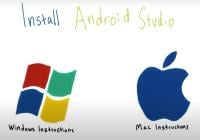
How to Install Android Studio
This video tutorial walks you through the steps to download and install Android Studio on your Windows or Mac machine.

Lesson 3
Hello World: Create a New Project
This video tutorial shows you how to set up a new project using Android Studio's Project Wizard.

Prerequisites and Requirements
You should have access to a Windows or Mac computer with the capacity to download and run Android Studio in order to complete the installation process.You do not need to have access to an Android device to complete this tutorial.

Go to Class
MOOC List is learner-supported. When you buy through links on our site, we may earn an affiliate commission.

Related Courses

Create the User Interface in Android Studio (Coursera) Coursera
Meta

Create the User Interface in Android Studio (Coursera)

This is a beginner course for learners who would like to prepare themselves for a career in Android development. To succeed in this course, you should understand the basics of Kotlin and cross-platform development for mobile applications. The course introduces you to creating a User Interface (UI) in Android Studio on a foundational level. You will learn about the fundamentals that will enable you to build meaningful and functional user interfaces for Android using Android Studio and Kotlin.

Sep 14th 2026
5-12 Weeks
Mobile Design and Usability for Android (Udacity) Udacity
Udacity,Facebook

Mobile Design and Usability for Android (Udacity)

Learn how to design an intuitive, user-centered mobile app. Featuring Facebook's experts in User Research and Product Design, this course walks you through the steps to design a new mobile product that puts users first. You'll learn how to use data collected from users to guide prototyping, and conduct user testing with a production app to guide a future redesign.

Self Paced
Self-Paced
Passwordless Login Solutions for Android (Udacity) Udacity
Udacity,Facebook

Passwordless Login Solutions for Android (Udacity)

For an app developer, providing a seamless user experience is critical for building engagement and growing a user base. Passwordless login solutions provide your users with a simple, secure, and positive first experience. In this course, you'll learn two frameworks for sign-up and authentication: Account Kit, which uses a phone number and code, and Facebook Login for Android.

Self Paced
Self-Paced
Android App Components - Services, Local IPC, and Content Providers (Coursera) Coursera
Vanderbilt University

Android App Components - Services, Local IPC, and Content Providers (Coursera)

This 4 week MOOC builds upon the core Android app components and concurrency frameworks covered in Course 2 by focusing on started and bound services, local inter-process communication (IPC), and content providers. Case study apps will be examined from multiple perspectives to learn how to program these app components using Android's material design paradigm.

Sep 21st 2026
4 Weeks
Mobile Applications Development (saylor.org) Saylor Academy
Saylor.org

Mobile Applications Development (saylor.org)

Technology continues to evolve and provide us with increasingly powerful mobile devices. As a result, applications that can run on a browser must also be written such that they are compatible with mobile devices, the majority of which are now web-enabled. Meanwhile, there is an increasing demand for native applications that can be downloaded to and run on mobile devices. This course will address these trends, teaching you to think about the unique design and deployment issues that must be taken into consideration when developing applications for mobile devices.

Self Paced
Self-Paced
Android: introducción a la programación (edX) EdX
Universitat Politècnica de València,UPValenciaX

Android: introducción a la programación (edX)

Desarrollaremos una aplicación de ejemplo, "Mis Lugares Favoritos", para conocer el entorno de desarrollo de Android y sus elementos. Android es la plataforma libre desarrollada por Google, ampliamente utilizada en multitud de dispositivos como móviles, tabletas, TV, wearables o sistemas empotrados. Su expansión ha sido espectacular, superando en la actualidad al S.O. Microsoft Windows.

Self Paced
Self-Paced
Android Apps in 1 Hour: No Coding Required (OpenLearning) OpenLearning
Stone River eLearning

Android Apps in 1 Hour: No Coding Required (OpenLearning)

So you want to learn to develop Android mobile apps. The problem is that learning to write programming code is time consuming and quite difficult. What if I told you that you can build Android Apps without ever learning to write code? Seems too good to be true, but it’s not. Using the Android App Inventor platform you can literally build your first Android app in less than an hour using an easy to use drag and drop interface that allows anyone to create their own Android apps with no prior experience. You will learn how to create your own Android mobile applications in just a few hours, and without having to learn any computer programming. App Inventor is a free graphic user interface (drag and drop system) that allows anyone to create their own Android mobile apps with no prior experience.

Self Paced
Self-Paced
Begin Programming: Build Your First Mobile Game (FutureLearn) FutureLearn
University of Reading

Begin Programming: Build Your First Mobile Game (FutureLearn)

Learn basic Java programming by developing a mobile game that you can run on your computer, Android phone or tablet. Take your first steps into the world of computer programming and learn how to build your own mobile game in just five weeks. You’ll be introduced to the basic constructs and the principles behind computer programs, as well as the building blocks that are used to create them.

No sessions available
5-12 Weeks
Firebase Analytics: Android (Udacity) Udacity
Udacity,Google

Firebase Analytics: Android (Udacity)

Improve your apps with better user data. In this course, you’ll learn how to grow an app's user base using Firebase Analytics, a free and unlimited analytics solution. You'll be able to learn who your users are and how they interact with your app. You can then use this information to make informed decisions to improve your app, such as how difficult to make a level in a game, where to place an advertisement, or what products to stock.

Self Paced
Self-Paced
UX Design for Mobile Developers (Udacity) Udacity
Udacity,Google

UX Design for Mobile Developers (Udacity)

Learn to Design a 5-Star Android App. This course is optimized for the developer who is looking to efficiently learn the most important design techniques that will help them make better apps (with a focus on mobile/Android). This is a UX design course built for current (and aspiring) mobile developers. In this short course, you'll step back from your IDE and dive into the techniques that great designers use to plan and prototype amazing apps before any code is written.

Self Paced
Self-Paced
Android App Components - Intents, Activities, and Broadcast Receivers (Coursera) Coursera
Vanderbilt University

Android App Components - Intents, Activities, and Broadcast Receivers (Coursera)

This MOOC builds upon the overview of Java and Android covered in Course 1 by delving deeper into core Android components, such as Activities, Broadcast Receivers, Intents, and Intent Filters. You will learn by example how to program these core Android components together with basic Java file I/O classes (such as File, InputStream, OutputWriter, etc.) and Android storage mechanisms (such as Shared Preferences).

Sep 21st 2026
4 Weeks