
Creating Advanced Reports with SAS Visual Analytics (Coursera)

Offered by SAS,
Creating Advanced Reports with SAS Visual Analytics (Coursera)

In this course, you learn how to create advanced data items, filters, and parameters in SAS Visual Analytics. What you will learn : how to create advanced data items (like calculated items and aggregated measures) in SAS Visual Analytics; how to create advanced static and interactive filters and advanced ranks in SAS Visual Analytics; how to create and apply parameters to make reports more dynamic in SAS Visual Analytics.

Class Deals by MOOC List - Click here and see Coursera's Active Discounts, Deals, and Promo Codes.

Course 5 of 5 in the SAS Visual Business Analytics Professional Certificate.

Syllabus

WEEK 1
Course Overview
In this module, you learn about the business scenario that you will follow for this course and where the files are located in SAS Viya for Learners.
Creating Advanced Data Items
In this module, you learn how to create and use advanced data items such as calculated items and aggregated measures in Visual Analytics.

WEEK 2
Creating Advanced Filters
In this module, you learn how to create advanced static and interactive filters in Visual Analytics.
Using Parameters to Create Advanced Reports
In this module, you learn how to use parameters in Visual Analytics to make your reports more dynamic.

Go to Class
MOOC List is learner-supported. When you buy through links on our site, we may earn an affiliate commission.

Related Courses

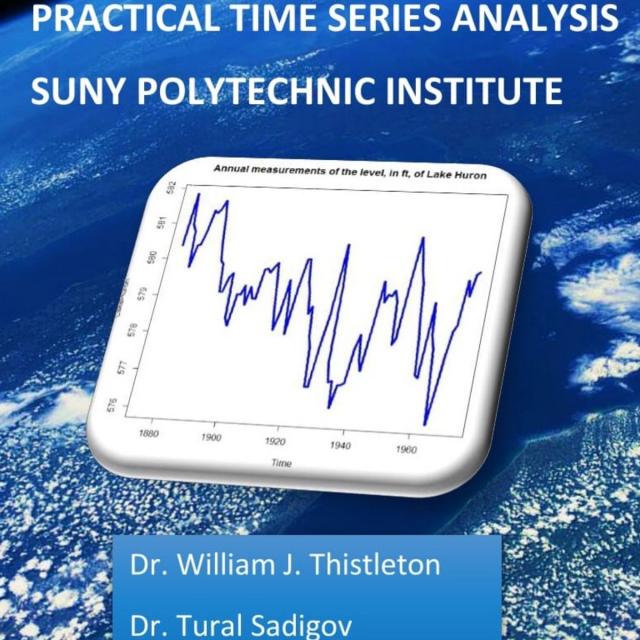
Practical Time Series Analysis (Coursera) Coursera
The State University of New York

Practical Time Series Analysis (Coursera)

Many of us are "accidental" data analysts. We trained in the sciences, business, or engineering and then found ourselves confronted with data for which we have no formal analytic training. This course is designed for people with some technical competencies who would like more than a "cookbook" approach, but who still need to concentrate on the routine sorts of presentation and analysis that deepen the understanding of our professional topics.

Oct 5th 2026
5-12 Weeks
Doing More with SAS Programming (Coursera) Coursera
SAS

Doing More with SAS Programming (Coursera)

This course is for business analysts and SAS programmers who want to learn data manipulation techniques using the SAS DATA step and procedures to access, transform, and summarize data. The course builds on the concepts that are presented in the Getting Started with SAS Programming course and is not recommended for beginning SAS software users.

Sep 21st 2026
5-12 Weeks
Regression Modeling in Practice (Coursera) Coursera
Wesleyan University

Regression Modeling in Practice (Coursera)

This course focuses on one of the most important tools in your data analysis arsenal: regression analysis. Using either SAS or Python, you will begin with linear regression and then learn how to adapt when two variables do not present a clear linear relationship. You will examine multiple predictors of your outcome and be able to identify confounding variables, which can tell a more compelling story about your results. You will learn the assumptions underlying regression analysis, how to interpret regression coefficients, and how to use regression diagnostic plots and other tools to evaluate the quality of your regression model. Throughout the course, you will share with others the regression models you have developed and the stories they tell you.

Sep 11th 2026
4 Weeks
3D Data Visualization for Science Communication (Coursera) Coursera
University of Illinois at Urbana-Champaign

3D Data Visualization for Science Communication (Coursera)

This course is an introduction to 3D scientific data visualization, with an emphasis on science communication and cinematic design for appealing to broad audiences. You will develop visualization literacy, through being able to interpret/analyze (read) visualizations and create (write) your own visualizations.

Oct 5th 2026
4 Weeks
Visual Analytics with Tableau (Coursera) Coursera
University of California, Davis

Visual Analytics with Tableau (Coursera)

In this third course of the specialization, we’ll drill deeper into the tools Tableau offers in the areas of charting, dates, table calculations and mapping. We’ll explore the best choices for charts, based on the type of data you are using. We’ll look at specific types of charts including scatter plots, Gantt charts, histograms, bullet charts and several others, and we’ll address charting guidelines.

Sep 21st 2026
4 Weeks
Introduction to Accounting Data Analytics and Visualization (Coursera) Coursera
University of Illinois at Urbana-Champaign

Introduction to Accounting Data Analytics and Visualization (Coursera)

Accounting has always been about analytical thinking. From the earliest days of the profession, Luca Pacioli emphasized the importance of math and order for analyzing business transactions. The skillset that accountants have needed to perform math and to keep order has evolved from pencil and paper, to typewriters and calculators, then to spreadsheets and accounting software. A new skillset that is becoming more important for nearly every aspect of business is that of big data analytics: analyzing large amounts of data to find actionable insights. This course is designed to help accounting students develop an analytical mindset and prepare them to use data analytic programming languages like Python and R.

Oct 5th 2026
5-12 Weeks
Functional Programming in Scala Capstone (Coursera) Coursera
École Polytechnique Fédérale de Lausanne

Functional Programming in Scala Capstone (Coursera)

In the final capstone project you will apply the skills you learned by building a large data-intensive application using real-world data. You will implement a complete application processing several gigabytes of data. This application will show interactive visualizations of the evolution of temperatures over time all over the world.

Oct 5th 2026
5-12 Weeks
Predictive Modeling with Logistic Regression using SAS (Coursera) Coursera
SAS

Predictive Modeling with Logistic Regression using SAS (Coursera)

This course covers predictive modeling using SAS/STAT software with emphasis on the LOGISTIC procedure. This course also discusses selecting variables and interactions, recoding categorical variables based on the smooth weight of evidence, assessing models, treating missing values, and using efficiency techniques for massive data sets. You learn to use logistic regression to model an individual's behavior as a function of known inputs, create effect plots and odds ratio plots, handle missing data values, and tackle multicollinearity in your predictors. You also learn to assess model performance and compare models.

Sep 14th 2026
5-12 Weeks
Data Management and Visualisation (Coursera) Coursera
Wesleyan University

Data Management and Visualisation (Coursera)

Whether being used to customize advertising to millions of website visitors or streamline inventory ordering at a small restaurant, data is becoming more integral to success. Too often, we’re not sure how use data to find answers to the questions that will make us more successful in what we do. In this course, you will discover what data is and think about what questions you have that can be answered by the data – even if you’ve never thought about data before. Based on existing data, you will learn to develop a research question, describe the variables and their relationships, calculate basic statistics, and present your results clearly.

Jun 29th 2026
4 Weeks
Dealing With Missing Data (Coursera) Coursera
University of Maryland, College Park

Dealing With Missing Data (Coursera)

This course will cover the steps used in weighting sample surveys, including methods for adjusting for nonresponse and using data external to the survey for calibration. Among the techniques discussed are adjustments using estimated response propensities, poststratification, raking, and general regression estimation. Alternative techniques for imputing values for missing items will be discussed. For both weighting and imputation, the capabilities of different statistical software packages will be covered, including R®, Stata®, and SAS®.

Sep 21st 2026
4 Weeks