A Push Pin Portrait Layout WITHOUT the Paint-by-Number Look (Skillshare)

Offered by Skillshare,
A Push Pin Portrait Layout WITHOUT the Paint-by-Number Look (Skillshare)

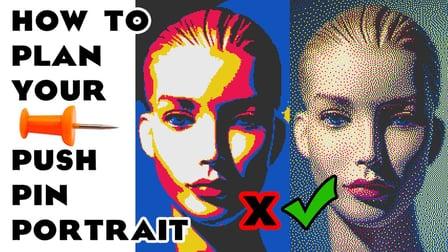
In this class you will learn how to plan color layouts for images made of collections of many small things in a limited palette. Push pins would be a good example, since they come in only certain colors. Stickers might be another example, as might ink stamps.

The main thrust of this class is how to avoid the simplistic "posterized" look and achieve color distributions that look much more sophisticated. The end product of this class will be a 2' x 3' poster that I will show you how to get printed in color at a place near you for under $6.
We are making a digital poster. We will not be getting into the details of where to source the 50,000 pushpins you'd need in order to actually make this image out of real pins.
If you have items at your disposal that can be made into physical images and you wish to make such an art object then you may find this class usefull in giving your color layout a richer look, as pictured above.
Your assignment is to take a photo and prepare it as described in the class so that it is ready to be made into a push-pin portrait. Bonus points if you take it on through to a $6 large format print in the manner also described in the class.

Go to Class
MOOC List is learner-supported. When you buy through links on our site, we may earn an affiliate commission.

Related Courses

Create a Hand-Drawn .GIF in Photoshop (Skillshare) Skillshare
Skillshare

Create a Hand-Drawn .GIF in Photoshop (Skillshare)

Want to spruce up your blog or website with cute, animated GIFs? Ever needed the perfect reaction GIF for that one meme you love? (We've all been there.) Take this class to learn how you can make one yourself! I'll take you through the entire process of animating hand-drawn characters and lettering in Photoshop, from rough test runs to exporting. It's a lot easier than you might think!

Self Paced
Self-Paced
Intro to HDR Photography: Shooting and Editing High Dynamic Range | Learn with macphun (Skillshare) Skillshare
Skillshare

Intro to HDR Photography: Shooting and Editing High Dynamic Range | Learn with macphun (Skillshare)

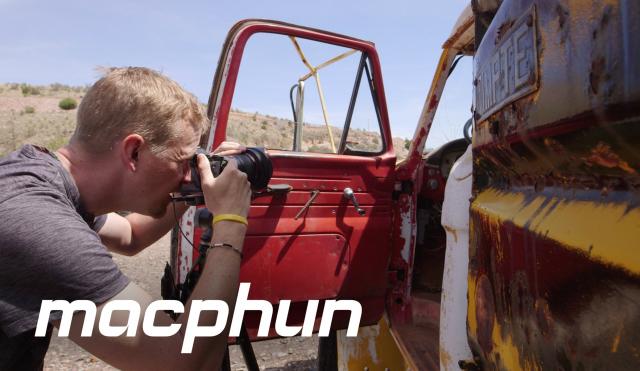
Just what is HDR photography all about? Join photographer Matt Suess in an Arizona ghost town, and learn how he creates artistic, high-contrast scenes that jump off the screen. HDR stands for high dynamic range, a photography technique that mimics what the eye can see, merging multiple bracketed exposures into one vibrant image. Perfect for scenic landscapes, building interiors, and – in this case – vintage Americana, HDR allows you to bring out surreal detail in your highlights and shadows.

Self Paced
Self-Paced
Stylized Hand Painting in MAYA for Mobile Devices (beginners) (Skillshare) Skillshare
Skillshare

Stylized Hand Painting in MAYA for Mobile Devices (beginners) (Skillshare)

This is a FREE hand painting training for beginners. You will learn the traditional hand painting techniques for Stylized art. We will texture our asset in 2d. Which software is required? Maya 2019 and adobe photoshop. What you will learn? We are going to cover a lot of topics starting with modeling simple low poly assets, uv mapping or unwraping, texturing, hand painting techniques, ambient occlusion maps and more.

Self Paced
Self-Paced
Watercolor cactuses in Procreate - digital illustration (Skillshare) Skillshare
Skillshare

Watercolor cactuses in Procreate - digital illustration (Skillshare)

Today I will teach you: how to draw cactuses in new watercolor style, where we will combine actually watercolor and pencil together; how to locate those lovely cactuses on the canvas in a beautiful way; how to create texture paper; How to create patterns; where to get reference pictures that you can use for commercial and personal purposes.

Self Paced
Self-Paced
Photoshop Fundamentals in One Hour (Skillshare) Skillshare
Skillshare

Photoshop Fundamentals in One Hour (Skillshare)

If you’ve ever wanted to try digital painting, but you’re intimidated by photoshop, this course is for you! We’ll go through all of the software’s core functions and tools in a series of easy-to-follow lessons that will have you up and running in no time. These lessons are the building blocks that you will carry forward to the incredibly cool digital painting courses that we offer. So enroll today and let's get you on board with Photoshop!

Self Paced
Self-Paced