Lightroom Masterclass for Beginners! (Skillshare)

Offered by Skillshare,
Lightroom Masterclass for Beginners! (Skillshare)

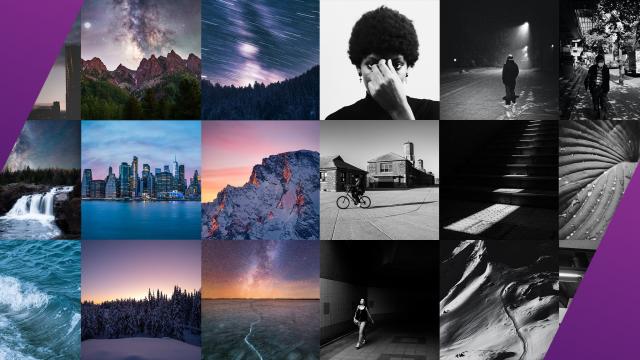
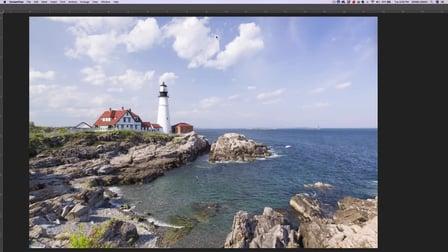
Are you super brand-new to Lightroom? Do you want to enhance your photos into super, amazing pictures that make your friends, family and clients go WOW? Lightroom is a powerful tool to enhance your photos and can be easy to use...once you understand the basics of it. This class is a focus on the develop section of Lightroom as well as how to use its photo management ability.

With these tools you will go from zero to hero on your photography.
You'll learn all editing tool modules including:
White Balance
Tone Panel
Presence Panel
Tone Curve
Hue, Saturation and Luminance
Split Toning
Crop Tool
Calibration and Effects
Transformation
Library Organizaiton
And more!
Take this class, then use the knowledge you learned to take a seemingly ordinary photo and change it to an amazing one. Post the before and after!
Go to Class
MOOC List is learner-supported. When you buy through links on our site, we may earn an affiliate commission.

Related Courses

The Adventure Series – Learn Landscape Photography in the Field! (Skillshare) Skillshare
Skillshare

The Adventure Series – Learn Landscape Photography in the Field! (Skillshare)

Join me as I explore Switzerland and teach you everything I know about travel Photography and Filmmaking! This course is suitable for all levels. Topics covered in this course: Photography Fundamentals; Landscape Photography; Long Exposure Photography; Drone Photography & Videography; First Person View (FPV) Drone Filmmaking; Composition; and much more!

Self Paced
Self-Paced
Self-Discovery Through Photography (Skillshare) Skillshare
Skillshare

Self-Discovery Through Photography (Skillshare)

This is a photography guide for us to learn about who we are. We are going to discover ourselves externally, be present with ourselves, and finally express ourselves creatively. Self-knowledge is essential to our decision making, to know our potentials, and have better relationships with others. Let's walk through this journey together.

Self Paced
Self-Paced
Photoshop Retouching Crash Course: Create a Stunning Portrait with Your Phone Camera (Skillshare) Skillshare
Skillshare

Photoshop Retouching Crash Course: Create a Stunning Portrait with Your Phone Camera (Skillshare)

Welcome to this short and straight to the point course on how to turn your cell phone selfies into professional looking headshots! My name is Marouane Bembli. I'm a professional industrial designer with over 15 years experience in Photoshop and photo retouching and manipulation. In this course you'll learn how to edit a photo taken with almost any type of camera and make it profile pic worthy using simple Photoshop techniques.

Self Paced
Self-Paced
Photo Storytelling: On the Road with Kevin Russ (Skillshare) Skillshare
Skillshare

Photo Storytelling: On the Road with Kevin Russ (Skillshare)

Stocksy Photographer Kevin Russ is known for his immersive, experiential approach to photography. He's able to capture some of the most authentic and beautiful images of people he encounters and places he goes. In this 30-minute class, you'll join Kevin in Salton Sea, California where he experiences a day in the desert with his friend Cuervo, a desert cowboy and his two mules.

Self Paced
Self-Paced
PhotoArtFX using Photoshop: Blending Photos Using Gradient Masks (Skillshare) Skillshare
Skillshare

PhotoArtFX using Photoshop: Blending Photos Using Gradient Masks (Skillshare)

In this free class I’ll be showing you just how easy it is to blend multiple images into one photo art image using blending modes, layer masks and the gradient tool. I’ve included a set of project files including photos and texture images that you can download and use to follow along with the tutorial and make the same photoart designs as I do.

Self Paced
Self-Paced
Basics Of Layers And Layer Masks In Photoshop (Skillshare) Skillshare
Skillshare

Basics Of Layers And Layer Masks In Photoshop (Skillshare)

Why work on layers at all? They do not destroy your original photo; You are working on top of or on copies of that photo; You will have more control; You can use blending modes to change the way layers interact; You can change the opacity of any effects; You will have or can add layer masks so that you can work selectively on your photo with any adjustments you make.

Self Paced
Self-Paced